How To Get Facebook Push Notifications Now (UPDATED)
by Ian
August 5, 2009
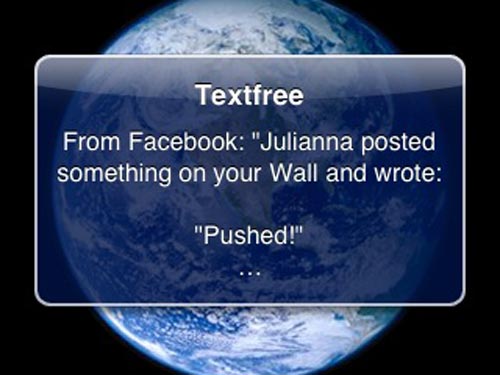
 Find the box labeled "New Email:" and type in your unique username@textfree.us account name. Click "Add New Email." You should receive an Push Notification from Textfree instantly.
Open up Textfree and look for the validation link. Unfortunately, mine wasn't recognized as a URL automatically so I had to retype it manually into my browser rather than just being able to click on it. The URL follows the words "To confirm your contact email, follow the link below:"
As soon as you go to that URL your Textfree account will be validated as a place for Facebook to send notifications.
The final step is to go back to that same area in your Facebook settings and select the username@textfree.us account name and click "Change Contact Email."
Enjoy and let us know how it works for you.
Thanks to Andre Dean Smith for the tip.
UPDATE: International users can also benefit from this trick by using Textfree To The U.S., the worldwide version of Textfree.
Find the box labeled "New Email:" and type in your unique username@textfree.us account name. Click "Add New Email." You should receive an Push Notification from Textfree instantly.
Open up Textfree and look for the validation link. Unfortunately, mine wasn't recognized as a URL automatically so I had to retype it manually into my browser rather than just being able to click on it. The URL follows the words "To confirm your contact email, follow the link below:"
As soon as you go to that URL your Textfree account will be validated as a place for Facebook to send notifications.
The final step is to go back to that same area in your Facebook settings and select the username@textfree.us account name and click "Change Contact Email."
Enjoy and let us know how it works for you.
Thanks to Andre Dean Smith for the tip.
UPDATE: International users can also benefit from this trick by using Textfree To The U.S., the worldwide version of Textfree.