Hand Draw A Course, Snap A Picture Of It, And Then Let Your Ball Roll In It With Snap 'N Tap
October 26, 2009

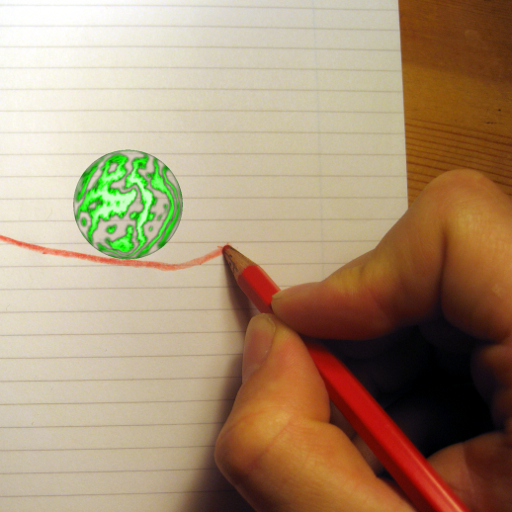
 You already know what the app is all about, so here's what you need to do. Draw anything you wish, such as an elaborate maze or simple ramp system, on a plain white or lined piece of paper. Then fire up Snap 'n Tap and take a picture of it using your iPhone's camera. If you own an iPod touch, you can also use a regular camera to take the picture and just import the image from your photo library into the app.
Now before you drop the ball into your drawing, you should probably change a few settings. Snap 'n Tap allows you to change the ball size in case your course's paths and tubes are a bit too narrow, and it also allows you to choose from four different types of balls that react differently to the surroundings. Once you are all set, it's time to let the ball roll.
Snap 'n Tap utilizes the iPhone's accelerometer, so when the ball is in place you can simply tilt your device all over to navigate it. It also allows you to grab the ball by touching and dragging it to wherever you need it to be.
Snap 'n Tap isn't perfect, of course. The app really doesn't have a point, you just sort of mess around with it and let your imagination wander. Also, if you are a messy drawer like me, your ball may end up getting stuck on small lines that you just didn't notice at first. The app also doesn't feature any sound effects, so it's just you, your drawing, and a ball in complete silence. The developers have stated that they do intend to update the app with sound effects along with a few other goodies, so if you can live without audio for a while, this one is definitely worth a shot just to mess around with.
Snap 'n Tap was originally priced at $2.99, but it is now available for only $.99. Not much of a risk if you ask me.
Embedded below is a video demonstration of Snap 'n Tap.
You already know what the app is all about, so here's what you need to do. Draw anything you wish, such as an elaborate maze or simple ramp system, on a plain white or lined piece of paper. Then fire up Snap 'n Tap and take a picture of it using your iPhone's camera. If you own an iPod touch, you can also use a regular camera to take the picture and just import the image from your photo library into the app.
Now before you drop the ball into your drawing, you should probably change a few settings. Snap 'n Tap allows you to change the ball size in case your course's paths and tubes are a bit too narrow, and it also allows you to choose from four different types of balls that react differently to the surroundings. Once you are all set, it's time to let the ball roll.
Snap 'n Tap utilizes the iPhone's accelerometer, so when the ball is in place you can simply tilt your device all over to navigate it. It also allows you to grab the ball by touching and dragging it to wherever you need it to be.
Snap 'n Tap isn't perfect, of course. The app really doesn't have a point, you just sort of mess around with it and let your imagination wander. Also, if you are a messy drawer like me, your ball may end up getting stuck on small lines that you just didn't notice at first. The app also doesn't feature any sound effects, so it's just you, your drawing, and a ball in complete silence. The developers have stated that they do intend to update the app with sound effects along with a few other goodies, so if you can live without audio for a while, this one is definitely worth a shot just to mess around with.
Snap 'n Tap was originally priced at $2.99, but it is now available for only $.99. Not much of a risk if you ask me.
Embedded below is a video demonstration of Snap 'n Tap.