How To: Jailbreak iPhone 3GS
by Eric Norwood
October 5, 2009

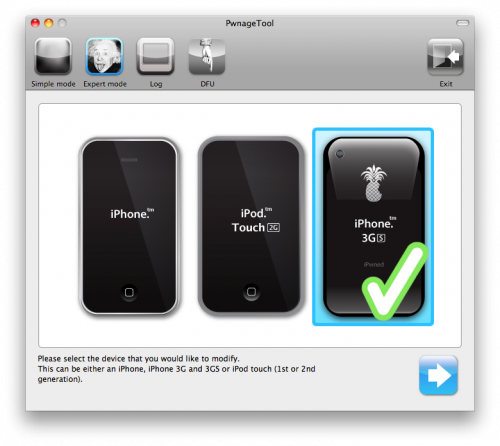 5. PwnageTool 3.1.3 should detect the proper firmware automatically.
 Click "Yes" when asked to continue.
6. Click "Yes" when asked: "Do you have an iPhone 3G(S) contract that would activate normally through iTunes?
7. The PwnageTool should now create a custom, jailbroken .ispw file that you will be able to restore with.
8. Once completed, you will be prompted to close the PwnageTool application and put your 3GS into Recovery mode. Once this is done, start iTunes and restore with the custom firmware bundle. To do this, click on your iPhone in the iTunes sidebar to get to the Sync screen. Hold "alt" down as you click "Restore." This will allow you to chose the location of the firmware, select the custom .ispw file and click "Open."
Click "Yes" when asked to continue.
6. Click "Yes" when asked: "Do you have an iPhone 3G(S) contract that would activate normally through iTunes?
7. The PwnageTool should now create a custom, jailbroken .ispw file that you will be able to restore with.
8. Once completed, you will be prompted to close the PwnageTool application and put your 3GS into Recovery mode. Once this is done, start iTunes and restore with the custom firmware bundle. To do this, click on your iPhone in the iTunes sidebar to get to the Sync screen. Hold "alt" down as you click "Restore." This will allow you to chose the location of the firmware, select the custom .ispw file and click "Open."
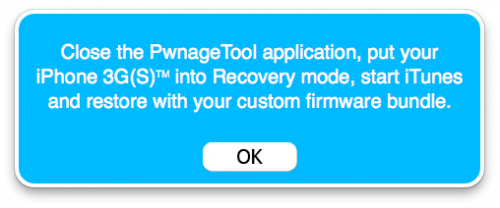 9. From here iTunes will take over with a series of automated steps, just follow along and after your phone automatically restarts, you will have a jailbroken iPhone OS 3.1 in your hands.
10. With your jailbroken iPhone, you can now unlock your iPhone with ultrasn0w.
9. From here iTunes will take over with a series of automated steps, just follow along and after your phone automatically restarts, you will have a jailbroken iPhone OS 3.1 in your hands.
10. With your jailbroken iPhone, you can now unlock your iPhone with ultrasn0w.

