Midnight HD Vs. Uzu - Particle Visualizer Head To Head

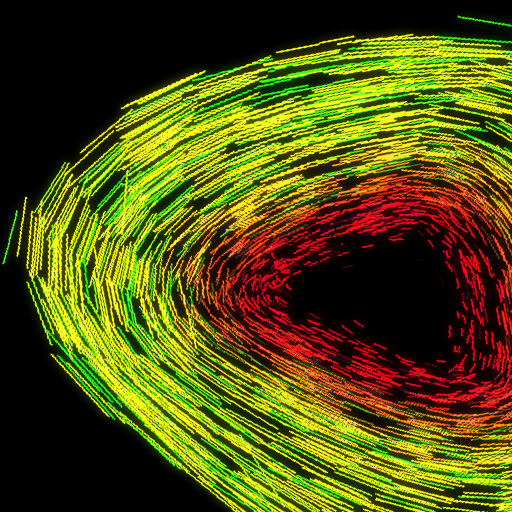
Midnight HD ($1.99) by Hyperbolic Magnetism is the newer entry to the party, and has finer stylized particles than Uzu. Everything seems to flow smoother in the app. The particles themselves aren’t as sharp in the color department, and look better flowing around screen in various formations.

It’s nice to interact with an app that is responsive to your touch so you can truly create amazing looking moving scenes. When you first open the app there is nothing more interesting than adding a finger to the iPad screen, and seeing the different animations. With one finger, two fingers, three fingers, all the way to ten fingers react differently to your touch.
The best one is the four finger touch which freezes the motion, and lets you rotate the mass of particles in three dimensions. You can be subtle or over the top with your motions depending on how you feel, and the app will make animations to your mood. The app is super simple as you just tap, and you’re changing the movement of the particles.
There are no options or any type of customization further adding to the simplicity. It is great to play your iPod in the background as you interact with the particles, but you just need to start the iPod before you enter the app. Midnight HD is a great iPad app that is a should buy for $1.99.


Uzu ($0.99) by Colordodge Labs Uzu is the older app of the two, and you wish it would have been updated more in that span of time.

Every new finger you place on screen creates different animations which are different from Midnight’s as well. Probably the best looking is the nine finger touch which creates spiking points from your fingers. With ten fingers you can adjust the thickness of the particles, but sadly there isn’t the amazing stop motion 3D rotating feature like Midnight.
Uzu doesn’t have any options either, and just like Midnight options could help. Uzu and Midnight are so similar that music is a great addition as long as you remember to start the iPod before entering the app. For only $0.99 Uzu is also a should buy, but I give the slight edge to Midnight.