You are using an outdated browser. Please
upgrade your browser to improve your experience.
View the status of all your APiQ-connected instruments at a glance

APiQ Instrument Dashboard
by Leica Biosystems, Inc


What is it about?
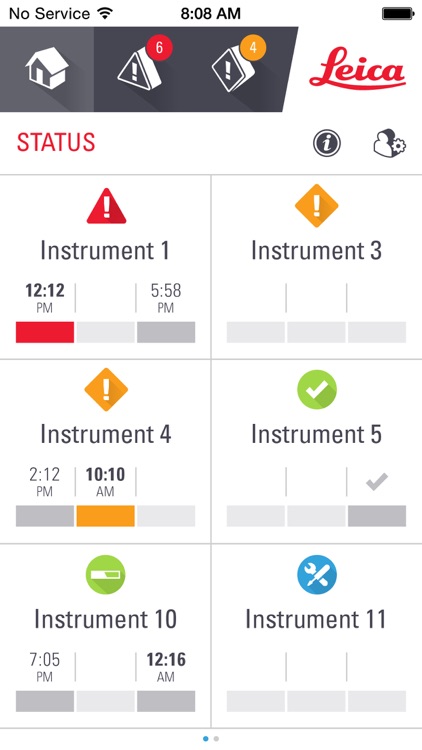
View the status of all your APiQ-connected instruments at a glance. This simple-to-use application is a powerful laboratory management tool. Keep on top of your instruments with up-to-date information on slide completion times, warnings and cautions. Identify spare capacity for that urgent case. With a clear overview of your instruments, it’s easy to stay in complete command, no matter where you are.
App Screenshots
App Store Description
View the status of all your APiQ-connected instruments at a glance. This simple-to-use application is a powerful laboratory management tool. Keep on top of your instruments with up-to-date information on slide completion times, warnings and cautions. Identify spare capacity for that urgent case. With a clear overview of your instruments, it’s easy to stay in complete command, no matter where you are.
1. Remotely monitor all your APiQ-connected instruments.
2. Receive important notifications on your mobile device.
3. Plan ahead - the Action Queue shows you which instruments need attention either immediately, soon or later.
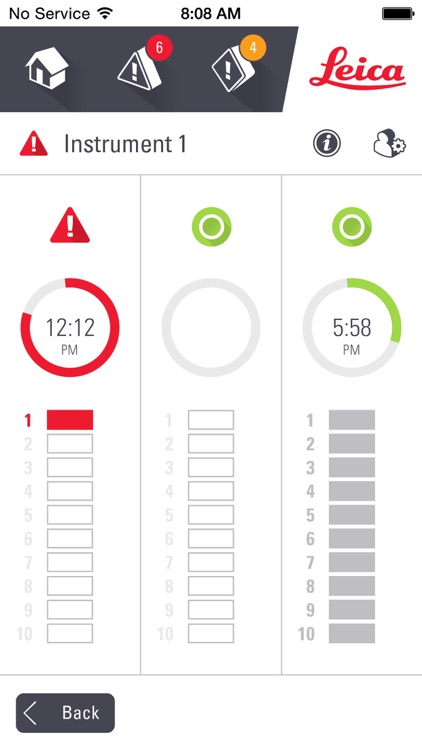
4. Quickly view the run and completion status of all slides and slide trays.
5. Optimize instrument use with visual indication of available staining capacity.
6. Quickly identify instruments needing immediate attention due to a warning.
7. Also identify instruments that may require future attention due to a caution or alert.
8. Filter your instrument view to focus on what’s important to you.
Disclaimer:
AppAdvice does not own this application and only provides images and links contained in the iTunes Search API, to help our users find the best apps to download. If you are the developer of this app and would like your information removed, please send a request to takedown@appadvice.com and your information will be removed.
AppAdvice does not own this application and only provides images and links contained in the iTunes Search API, to help our users find the best apps to download. If you are the developer of this app and would like your information removed, please send a request to takedown@appadvice.com and your information will be removed.
