You are using an outdated browser. Please
upgrade your browser to improve your experience.

2FA: Two-Factor Authentication – Maximum security for your online accounts

Authenticator App - 2FA ◦ MFA
by Zozed Company


What is it about?
2FA: Two-Factor Authentication – Maximum security for your online accounts.
App Screenshots
App Store Description
2FA: Two-Factor Authentication – Maximum security for your online accounts.
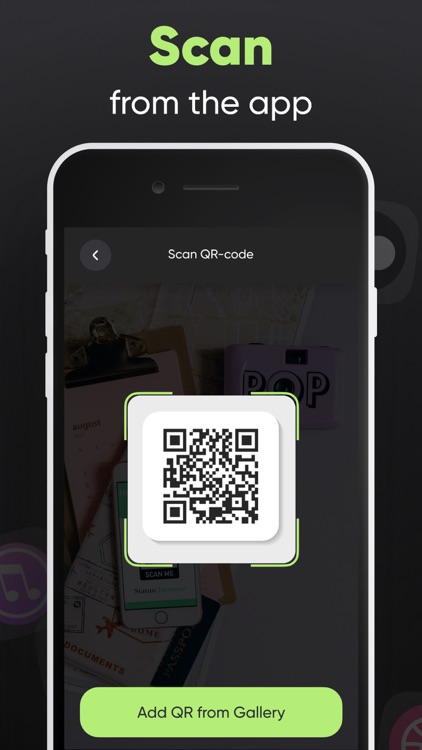
Protect your accounts with the power of two-factor authentication (2FA). Store all your 2FA tokens securely in one app, and add an extra layer of defense to your online presence. Set up in seconds by scanning a QR code or entering your key manually – perfect for securing email, social media, banking, and more.
Key Features:
– Instantly add accounts by scanning QR codes
– Easily enter secret keys manually when needed
– Securely store and organize all your 2FA tokens in one place
– Generate time-based one-time passcodes (TOTP) with ease
– Fast, intuitive, and seamless user experience
Protect what matters most. Secure your online world with 2FA today.
Subscription information:
- Prices in countries may vary and the actual cost may be converted to your local currency depending on your country of residence.
- Payment will be charged to your iTunes Account when you confirm your purchase.
- Subscription will automatically renew. You can turn off auto-renewal at least 24 hours before the end of the current period.
- Within 24 hours before the end of the current period, your account will be charged the subscription renewal fee with the renewal price.
- You can manage your subscriptions and turn off auto-renewal by going to iTunes Account Settings.
- Subscriptions can be canceled at any time in your Apple ID settings. All prices include applicable local sales taxes.
- The unused portion of the free trial, if offered, will be canceled when you purchase a subscription.
- At the end of the 3-day trial period, if offered, the subscription will automatically renew according to the rate unless canceled before the end of the 3-day trial period.
Privacy Policy: https://zzetapp.com/policy.html
Terms of Use: https://zzetapp.com/terms.html
Disclaimer:
AppAdvice does not own this application and only provides images and links contained in the iTunes Search API, to help our users find the best apps to download. If you are the developer of this app and would like your information removed, please send a request to takedown@appadvice.com and your information will be removed.
AppAdvice does not own this application and only provides images and links contained in the iTunes Search API, to help our users find the best apps to download. If you are the developer of this app and would like your information removed, please send a request to takedown@appadvice.com and your information will be removed.
