You are using an outdated browser. Please
upgrade your browser to improve your experience.

With the “GLS Packages” app, users can manage their GLS parcels to track incoming deliveries and send parcels more easily by purchasing shipping labels directly in the app

GLS Parcels
by General Logistics Systems Germany GmbH & Co. OHG


What is it about?
With the “GLS Packages” app, users can manage their GLS parcels to track incoming deliveries and send parcels more easily by purchasing shipping labels directly in the app.
App Screenshots



App Store Description
With the “GLS Packages” app, users can manage their GLS parcels to track incoming deliveries and send parcels more easily by purchasing shipping labels directly in the app.
TRACK PACKAGES
- Track new parcels by entering a tracking number or Track ID and the recipient’s postal code
- Overview of all tracked parcels (incoming, outgoing, and archived)
- Option to delete tracked parcels
- View parcel details and delivery information, such as delivery date and live tracking
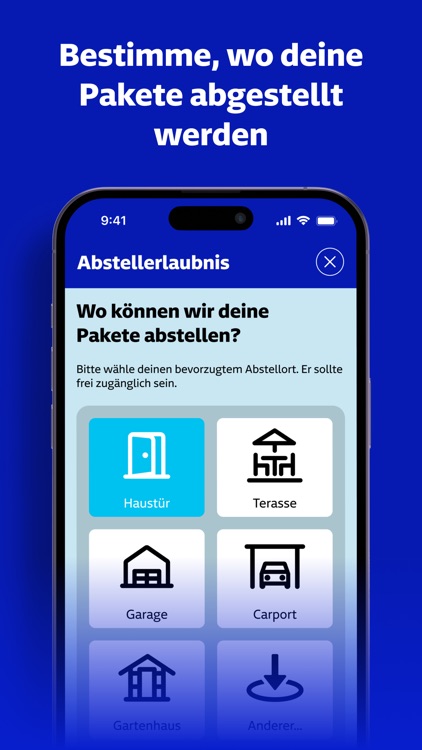
- Select a new delivery option for parcels, such as leaving it at a specific location or redirecting it to a shop or parcel station
- Automatic tracking of parcels in the app by adding email addresses to my account
SEND PACKAGES
- Configure shipping labels by entering parcel details such as size, destination country, sender, and recipient information
- Save addresses in the address book to make the purchase process more user-friendly
- Pay via PayPal or credit card (Visa / Mastercard)
- Order confirmation and receipts via email
- Print shipping labels at home
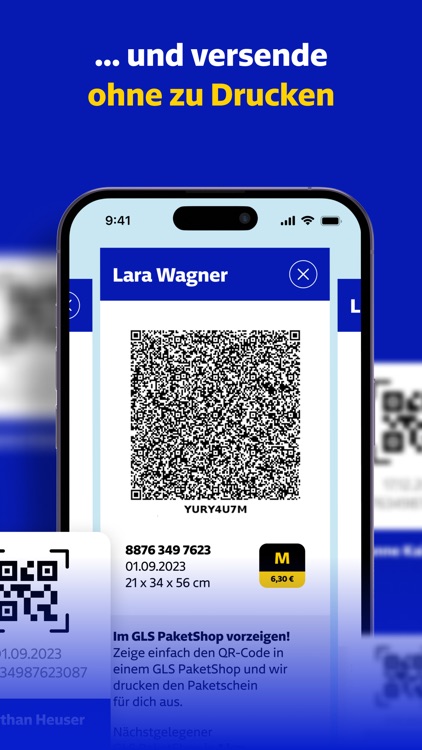
- Print shipping labels at a ParcelShop (mobile label / QR code)
- View all shipping labels (active, inactive, and archived)
- View the nearest ParcelShop for each shipping label
SIGN UP / LOG IN
- Register as a new user while retaining previously generated app data such as tracked parcels and shipping labels
- Log in with an existing GLS account (after registration; not with GLS-ONE account!)
- Log out of the app, which deletes all local data
- Change account password
- Delete GLS account and app data
SETTINGS
- Update account information
- Set up and modify a “Permanent Drop-off Permission”
- Send app feedback
- Option to rate the app (not possible before publication!)
- Report a problem
- View all legal details of the app
NOTIFICATIONS
- Manage notification settings in the app settings
- Receive notifications for tracked parcels
USER TESTING & ANALYTICS
- Various user events are recorded for quality control and product improvement
- Continuous product improvements via A/B tests and remote feature configurations
Disclaimer:
AppAdvice does not own this application and only provides images and links contained in the iTunes Search API, to help our users find the best apps to download. If you are the developer of this app and would like your information removed, please send a request to takedown@appadvice.com and your information will be removed.
AppAdvice does not own this application and only provides images and links contained in the iTunes Search API, to help our users find the best apps to download. If you are the developer of this app and would like your information removed, please send a request to takedown@appadvice.com and your information will be removed.
