You are using an outdated browser. Please
upgrade your browser to improve your experience.
Descriptions

iGKB IP Live
by GKB Security Corporation

What is it about?
Descriptions
App Screenshots

App Store Description
Descriptions
iGKB IP Live is an easy to handle application with very powerful functions for customers to view network cameras all over the world by using IPhone and IPAD.
Functions
1. Support live view of all IP cameras
2. Support audio talkback(listen and speak)
3. Support camera of local network search and direct address connection
4. Support PTZ control
5. Support snapshot and save
6. Support view scale and device rotation
7. Support liveview display up to 4 (iPad)
8. Support remote video record playback
Operate Manual
1. Enter the Account and Server.
Click the OPTION button in the toolbar. After entered the OPTION, please key in the User Name and Password and choose the correct Server.
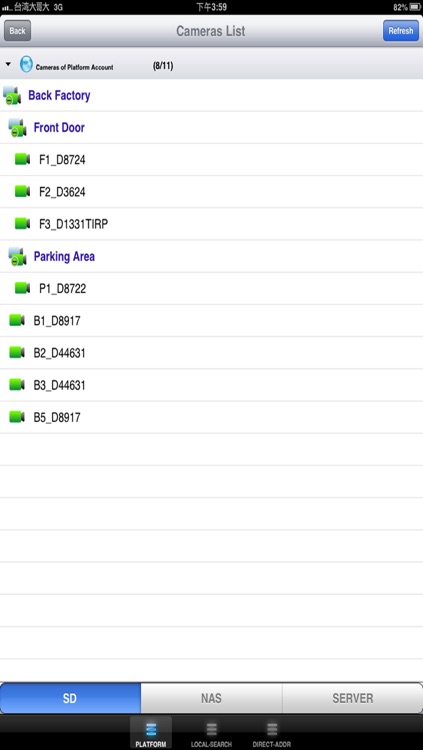
2. Camera List
Click the Camera-List button in the Toolbar. Choose a camera in the Camera List.
3. Playback Mode
Click the Play/Stop button at the tool bar for viewing the playback. It supports Play and Stop.
4. Enlarge Window
Click enlarge button can enlarge the displayed video into most suitable display layout.
5. Snapshot
Click the Snapshot button to take the snapshot of the channel.
6. PTZ Contrl
Click at the following button to control the PTZ:
Directions: Up, Down, Left, Right, Upper-left, Bottom-left, Upper-right, Bottom right.
Focus: Focus/ Focus Far
Iris: Wide Iris/ Narrow Iris.
Zoom in/ Zoom out
7. Multiple display:
Click on Multi-Display button can choose different channel display layout.
8. Record Playback
Click playback button to enter playback interface and start to operate.
Disclaimer:
AppAdvice does not own this application and only provides images and links contained in the iTunes Search API, to help our users find the best apps to download. If you are the developer of this app and would like your information removed, please send a request to takedown@appadvice.com and your information will be removed.
AppAdvice does not own this application and only provides images and links contained in the iTunes Search API, to help our users find the best apps to download. If you are the developer of this app and would like your information removed, please send a request to takedown@appadvice.com and your information will be removed.
