You are using an outdated browser. Please
upgrade your browser to improve your experience.

Pairing a mobile device with your Memo Bank account makes verifying your identity and approving sensitive financial operations simple and secure

Memo Bank Authenticator
by Memo Bank SA


What is it about?
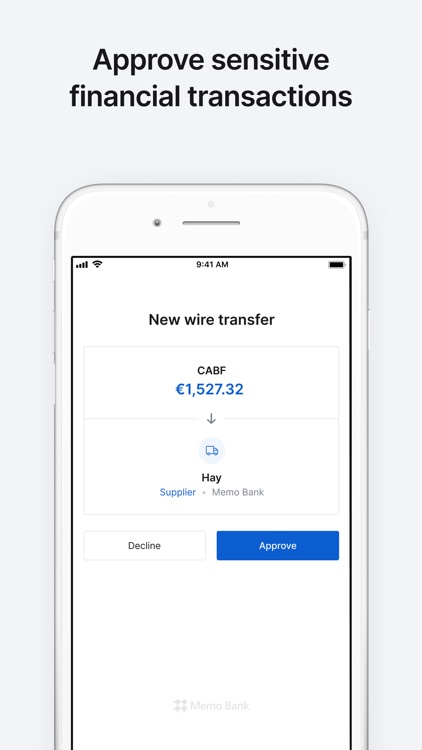
Pairing a mobile device with your Memo Bank account makes verifying your identity and approving sensitive financial operations simple and secure. You will not be able to access your online account without downloading the app.
App Screenshots

App Store Description
Pairing a mobile device with your Memo Bank account makes verifying your identity and approving sensitive financial operations simple and secure. You will not be able to access your online account without downloading the app.
Important: this application is designed solely for the purpose of securing your account and associated transactions. If you would like to check your balance using a mobile device, simply access our mobile-responsive website https://client.memo.bank from your device’s browser.
To pair your iPhone or iPad with your Memo Bank account, download the app and scan the QR code that appears on your computer screen when you connect to your account. Once the app has been installed and linked to your Memo Bank account, that’s it. There is nothing else to do on your part. You will automatically receive a notification each time you need to authorize any of the following:
- Logging into your Memo Bank account;
- Changing of your password;
- Inviting a new user;
- Sending a wire transfer;
- Adding a beneficiary;
- Adding a direct debit mandate.
To reinforce your iPhone or iPad’s security, you can add Touch ID or Face ID authentication.
Disclaimer:
AppAdvice does not own this application and only provides images and links contained in the iTunes Search API, to help our users find the best apps to download. If you are the developer of this app and would like your information removed, please send a request to takedown@appadvice.com and your information will be removed.
AppAdvice does not own this application and only provides images and links contained in the iTunes Search API, to help our users find the best apps to download. If you are the developer of this app and would like your information removed, please send a request to takedown@appadvice.com and your information will be removed.
