You are using an outdated browser. Please
upgrade your browser to improve your experience.

The Menus App accesses all of the menus Vanderbilt Campus Dining features at its on-campus locations

Menus - Vanderbilt
by Creative Minds, Inc.

What is it about?
The Menus App accesses all of the menus Vanderbilt Campus Dining features at its on-campus locations.
App Details
Version
3.1.3
Rating
(2)
Size
9Mb
Genre
Lifestyle Education
Last updated
July 30, 2019
Release date
August 19, 2010
More info
App Store Description
The Menus App accesses all of the menus Vanderbilt Campus Dining features at its on-campus locations.
iPhone:
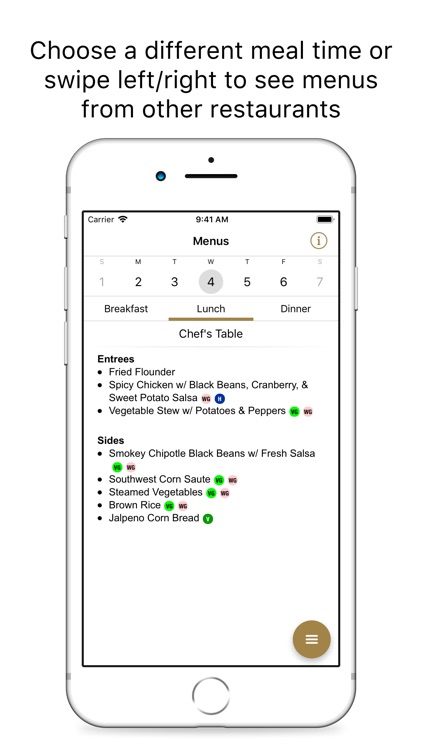
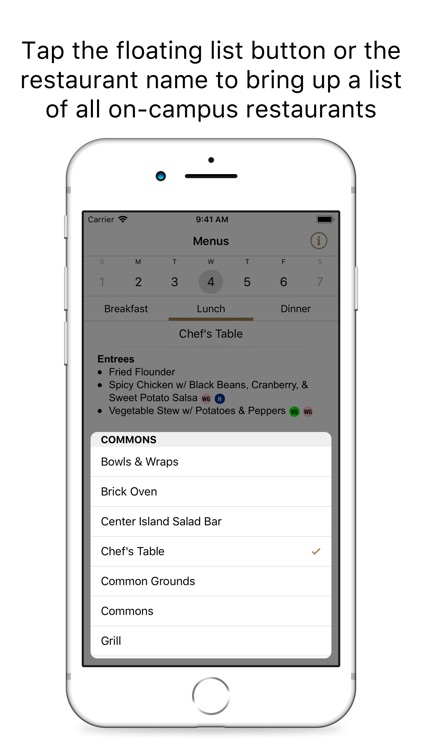
- Tap the floating list icon to bring up a list of on-campus restaurants. Or swipe left/right on a menu to show the previous/next restaurant in the list.
- Change days by selecting a different date from the calendar. See what is on the menu during coming weeks by swiping the calendar left and right.
- Tap the information button to show or hide different dietary icons.
iPad:
- All of the features are visible on one screen: change restaurant or date from the left-hand column. Or swipe left/right on a menu to show the previous/next restaurant in the list. Adjust dietary icon visibility by toggling icons on or off.
Vanderbilt Campus Dining's menus are always subject to change, but we try to keep our online menus up-to-date as much as possible. The Menus App makes it that much easier!
Disclaimer:
AppAdvice does not own this application and only provides images and links contained in the iTunes Search API, to help our users find the best apps to download. If you are the developer of this app and would like your information removed, please send a request to takedown@appadvice.com and your information will be removed.
AppAdvice does not own this application and only provides images and links contained in the iTunes Search API, to help our users find the best apps to download. If you are the developer of this app and would like your information removed, please send a request to takedown@appadvice.com and your information will be removed.
