You are using an outdated browser. Please
upgrade your browser to improve your experience.
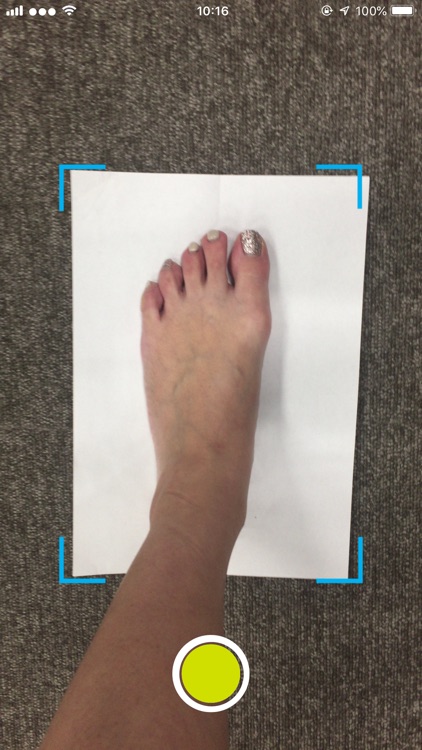
Measure the foot length and width by placing your feet on the paper and taking photos with the camera

MOBILE FOOT ID
by ASICS Corporation


What is it about?
Measure the foot length and width by placing your feet on the paper and taking photos with the camera.
App Screenshots


App Store Description
Measure the foot length and width by placing your feet on the paper and taking photos with the camera.
Main function
- Measure your foot length and width by taking photos
- Recommend ASICS shoes from the measurement result
How to use this app
1. Launch the app
2. If you have an ASICS ID, tap “SIGN IN WITH ASICS ID.” If you do not have an ASICS ID, tap “REGISTER ASICS ID”
3. Take two photos for each foot on a white paper
4. See the measurement result of your foot length and width
5. Select “your gender” and “surface you’ll run on”
6. Tap “FIND SHOES”
Note
When you find recommended shoes, your device needs to be connected to the internet.
Please check if your device can have an access to 4G/LTE network or Wi-Fi.
Disclaimer:
AppAdvice does not own this application and only provides images and links contained in the iTunes Search API, to help our users find the best apps to download. If you are the developer of this app and would like your information removed, please send a request to takedown@appadvice.com and your information will be removed.
AppAdvice does not own this application and only provides images and links contained in the iTunes Search API, to help our users find the best apps to download. If you are the developer of this app and would like your information removed, please send a request to takedown@appadvice.com and your information will be removed.
