You are using an outdated browser. Please
upgrade your browser to improve your experience.

Air Print Anything, Anytime, Anywhere - Directly from Your Phone

Printify: Smart Scan & Print
by QUANTUM4U LAB PRIVATE LIMITED


What is it about?
Air Print Anything, Anytime, Anywhere - Directly from Your Phone
App Screenshots
App Store Description
Air Print Anything, Anytime, Anywhere - Directly from Your Phone
Printing has never been smarter, faster, or more convenient. With our Smart Air Printer app, you can instantly connect your phone to any wireless printer, including HP printers, Canon printers, HP Smart devices, and many more - all with just a single tap.
Whether you need to air print important documents, high-quality photos, essential data, or even webpages, our app ensures smooth and reliable printing from your phone without the hassle of cables or complicated setup.
The Smart air Printer app automatically detects nearby printers like HP Printers, Canon printers, PrinterShare devices, and Print Master compatible air printers on the same Wi-Fi network, making printing effortless for both home and office use.
Key Features:
Smart Air Printer Connectivity - Connect your phone to any HP printer, HP Smart device, Canon printer, PrinterShare printer, or other wireless printer brands with ease.
Air Print From Anywhere - Documents, images, PDFs, and webpages printed directly from your phone using your HP printer, Canon printer, or Print Master compatible printer.
One-Tap Air Printing - Send files to your HP printer, Canon printer, PrinterShare, or Print Master device with a single click.
High-Quality Output - Ensure crisp text and vivid colors for every print job using your HP Smart or Canon printer.
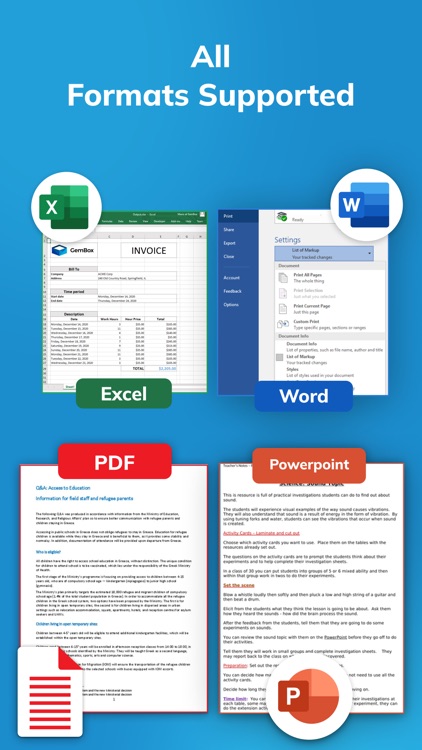
Supports Multiple Formats - Photos, Word documents, Excel sheets, PDFs, and more printed easily from your phone to your printer.
Whether you’re at home, in the office, or on the go, the Smart Printer app turns your phone into a powerful printing hub. Say goodbye to complicated drivers and hello to quick, wireless printing with your HP printer, HP Smart, Canon printer, PrinterShare, Print Master, or any other smart air printer.
Download now and experience the easiest way to print from your phone to your smart printer, HP printer, or Canon printer with PrinterShare and Print Master support.
Some of the data we collect
Device-specific information such as device model, OS version being used. This provides knowledge of how our application is being used so we can improve the user experience and the app itself.
We collect anonymized data such as statistics, analytics, insights about your activity in order to provide you a reliable and high-quality experience.
Payment data & an optional Email (if using paid Services).
Premium plans Length & Price
Yearly - $24.99
Monthly - $7.99
weekly - $0.99
Subscription Info:
The user can cancel their subscription at any time by going into iTunes and App Store Apple ID Settings.
All prices include applicable local sales taxes.
Payment will be charged to your iTunes Account after confirmation of purchase.
Subscription automatically renews at least 24-hours before the end of the current period.
Privacy Policy: https://quantum4u.in/web/printingapp/privacy-policy
Terms of Use: https://quantum4u.in/web/printingapp/tandc
EULA: https://quantum4u.in/web/printingapp/eula
Disclaimer:
AppAdvice does not own this application and only provides images and links contained in the iTunes Search API, to help our users find the best apps to download. If you are the developer of this app and would like your information removed, please send a request to takedown@appadvice.com and your information will be removed.
AppAdvice does not own this application and only provides images and links contained in the iTunes Search API, to help our users find the best apps to download. If you are the developer of this app and would like your information removed, please send a request to takedown@appadvice.com and your information will be removed.
