You are using an outdated browser. Please
upgrade your browser to improve your experience.
■ Private File provide users easily manage private files, each time you start the application needs to be validated through authentication to access one file

Private File
by Jing hong wang

What is it about?
■ Private File provide users easily manage private files, each time you start the application needs to be validated through authentication to access one file.
App Screenshots

App Store Description
■ Private File provide users easily manage private files, each time you start the application needs to be validated through authentication to access one file.
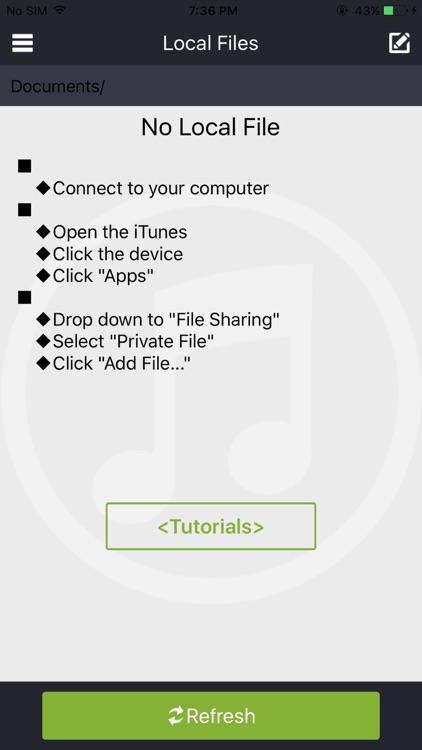
■ Private File transfer files from computer support
◆ Connect to your computer
◆ Open the iTunes
◆ Click the device
◆ Click "Apps"
◆ Drop down to "File sharing"
◆ Select "Private File"
◆ Click "Add File..."
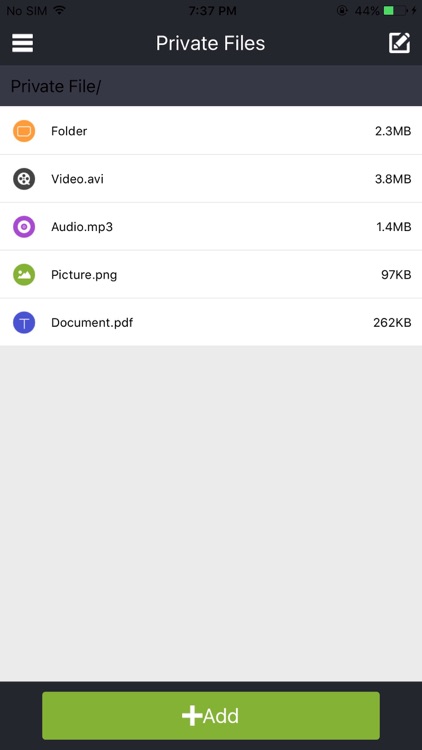
■ Private File support for multiple file formats
◆ Video: .MOV .MP4 .M4V .3GP .3G2
.AVI .MPG .FLV .TS .MKV
◆ Image: .PNG .BMP .GIF .JPG .JPEG
◆ Audio: .MP3. WAV .AU .M4A .AC3
.AMR .MP2 .OGG .WMA .FLAC
◆ Document: .TXT .RTF .PDF .DOC .DOCX
.DOT .DOTX .PPT .PPTX
.XLS .XLSX .HTM .HTML
Disclaimer:
AppAdvice does not own this application and only provides images and links contained in the iTunes Search API, to help our users find the best apps to download. If you are the developer of this app and would like your information removed, please send a request to takedown@appadvice.com and your information will be removed.
AppAdvice does not own this application and only provides images and links contained in the iTunes Search API, to help our users find the best apps to download. If you are the developer of this app and would like your information removed, please send a request to takedown@appadvice.com and your information will be removed.
