You are using an outdated browser. Please
upgrade your browser to improve your experience.
Time Slicer is a stopwatch with Categories

Time Slicer (Fumbly)
by John Wargo
What is it about?
Time Slicer is a stopwatch with Categories. Measure time allocation across topics, with categories representing individual time subsets. Time Slicer records it all for you.
App Store Description
Time Slicer is a stopwatch with Categories. Measure time allocation across topics, with categories representing individual time subsets. Time Slicer records it all for you.
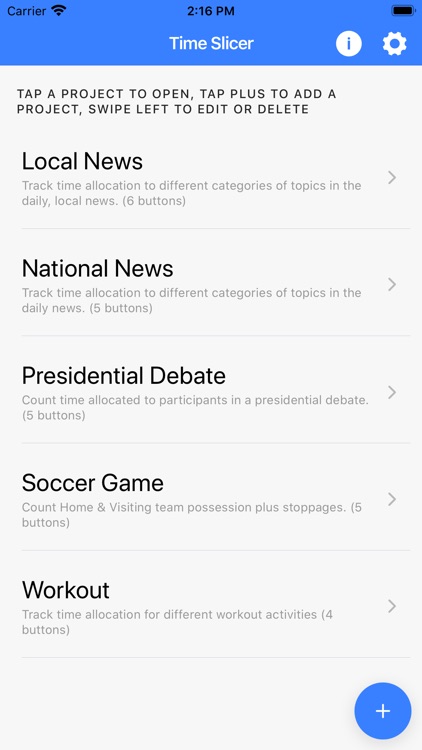
Time slicer starts with an empty project list. Tap the plus sign to create a new project. Create a separate project for every event or activity you're timing. Projects define time categories and associate them with a stopwatch shared across the categories.
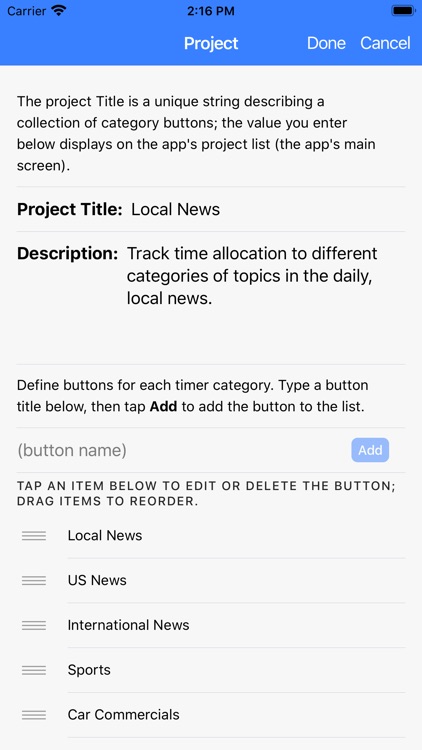
In the new Project form, give your project a Name, then add buttons for each Category you wish to track (e.g., US Politics, US News, Sports, International News, Commercials). Use the handles to reorder the buttons, or tap the Sort button (not shown) to sort the buttons alphabetically by button name. Tap the Done button when you're done!
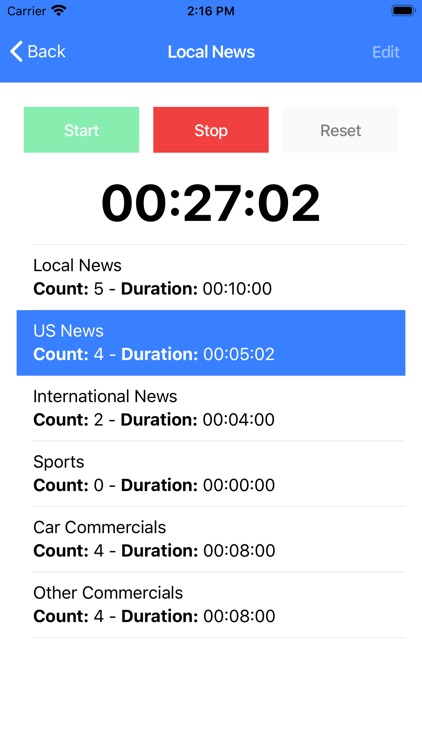
When working with a timer, tap the Start button or one of the Category buttons to start the timer. The app tracks overall time plus time spent on each category and the number of times the category activated. There's no need to tap Stop until you are done timing: each tap on a category restarts the timer for that category and increments that counter for that category.
Share results with others using any registered app on the phone, just tap the Share button (not shown) with the timer stopped.
Disclaimer:
AppAdvice does not own this application and only provides images and links contained in the iTunes Search API, to help our users find the best apps to download. If you are the developer of this app and would like your information removed, please send a request to takedown@appadvice.com and your information will be removed.
AppAdvice does not own this application and only provides images and links contained in the iTunes Search API, to help our users find the best apps to download. If you are the developer of this app and would like your information removed, please send a request to takedown@appadvice.com and your information will be removed.
