You are using an outdated browser. Please
upgrade your browser to improve your experience.

Editing 360° panorama images is not easy, but this makes it super easy

360° Panorama Editor
by Kai Bruchmann

What is it about?
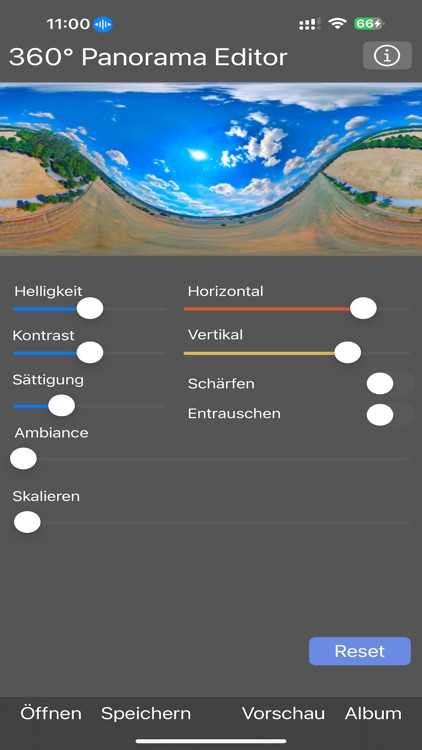
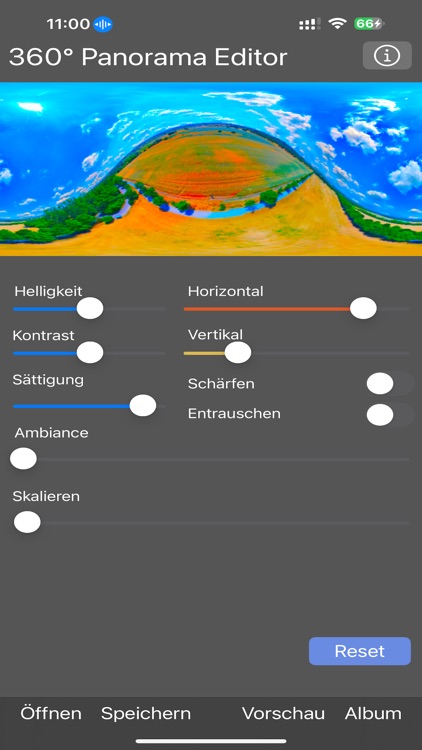
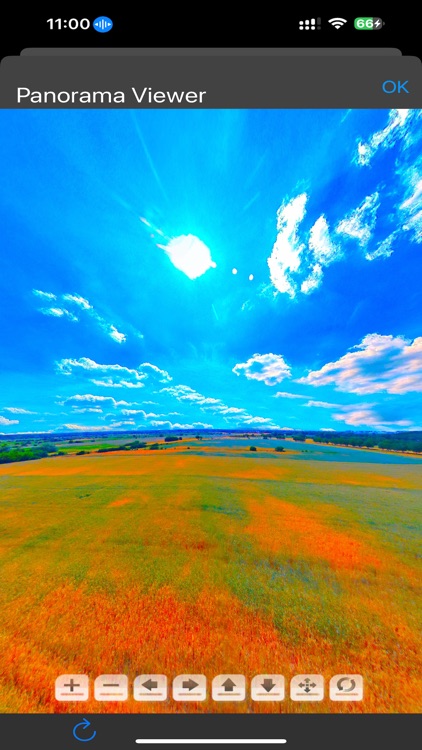
Editing 360° panorama images is not easy, but this makes it super easy. In addition to brightness, contrast, saturation, ambience, you can edit the 2:1 panorama in rectangular format horizontally and vertically and thus set the starting position in the 360° view and move it vertically to straighten the horizon if it was taken crookedly. All of this in real time. A 360° preview is integrated, you can look around in all directions. Also: sharpen and denoise the image, as well as upscaling from 8000x4000 to 16000x8000.
App Screenshots
App Store Description
Editing 360° panorama images is not easy, but this makes it super easy. In addition to brightness, contrast, saturation, ambience, you can edit the 2:1 panorama in rectangular format horizontally and vertically and thus set the starting position in the 360° view and move it vertically to straighten the horizon if it was taken crookedly. All of this in real time. A 360° preview is integrated, you can look around in all directions. Also: sharpen and denoise the image, as well as upscaling from 8000x4000 to 16000x8000.
- simple 360° editing
- standard image controls (brightness, contrast...)
- horizontal and vertical shift, correction
- upscaling, sharpness, denoising
- saving as a copy in the photo album
Disclaimer:
AppAdvice does not own this application and only provides images and links contained in the iTunes Search API, to help our users find the best apps to download. If you are the developer of this app and would like your information removed, please send a request to takedown@appadvice.com and your information will be removed.
AppAdvice does not own this application and only provides images and links contained in the iTunes Search API, to help our users find the best apps to download. If you are the developer of this app and would like your information removed, please send a request to takedown@appadvice.com and your information will be removed.
