You are using an outdated browser. Please
upgrade your browser to improve your experience.
GAME PLAY:

8Swap
by Mazen Kilani


What is it about?
GAME PLAY:
App Screenshots


App Store Description
GAME PLAY:
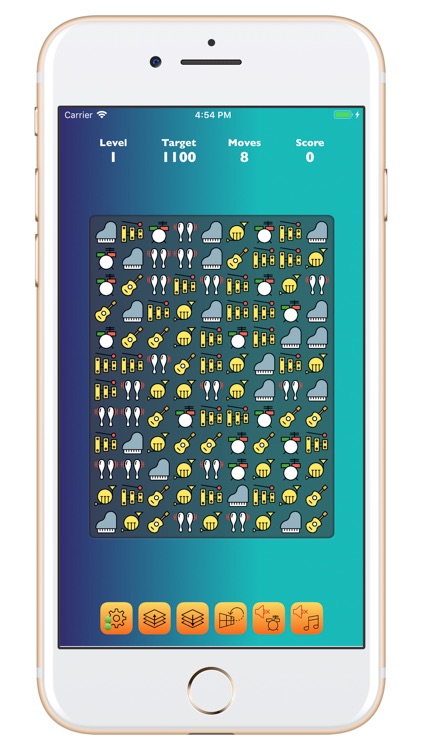
Tap/touch to swap any 2 adjacent images to match 3 or more adjacent (horizontally or vertically) image sets. Once matched, the images disappear and all images above them and new images 'drop down' into the vacant spaces, creating endless random combinations. Swapping images that do not create new matching image sets will not work (the swapped images will return to their original locations).
GAME LAUNCH:
8Swap starts at Level 1 (of 30). However, when you exit the game at a specific level, then the same level is presented when you re-launch the game again. You can also set a Game Launch Level in Settings (but must exit game once set and re-launch).
CUSTOM PARAMETERS:
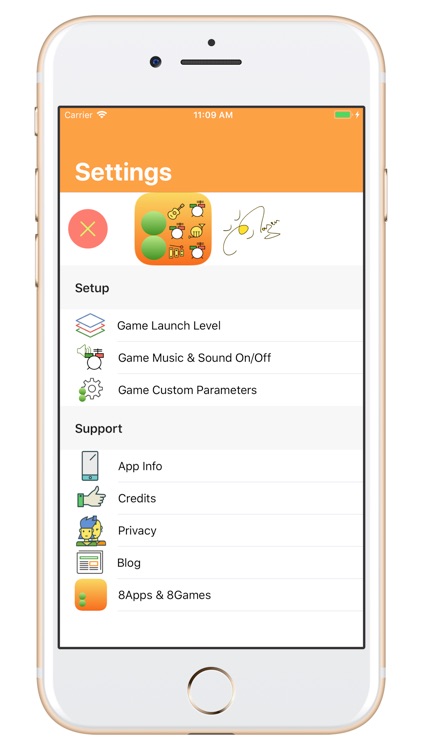
8Swap levels have pre-defined target and maximum moves per level. In Settings: Game Custom Parameters, you can set your own Target and Max Moves, which will apply to all levels when a new level is launched (not the level displayed before the parameters are set). You can always return and Cancel the custom parameters, which will restore the defaults Target and Max Moves per level.
MUSIC & SOUNDS:
Game background music and sound effects (swap, scoring, drop-downs, etc.) have dedicated On/Off buttons at anytime during the game (bottom of screen buttons) and can also be set in Settings. When you tap/touch Settings icon, all music and sounds will be set to Off.
OBJECTIVE:
Beat the level Target within the defined number of Moves.
SCORING:
Score higher the more adjacent images are matched, whether by your action or the subsequent movement of images due to a matching image set.
LEVELS:
There are 30 levels. Each level is a new image set:
1. Music, 2. Landmarks, 3. Super Heroes, 4. Cinema, 5. Professions, 6. Sport Balls, 7. Baby, 8. Hearts, 9. Brands, 10. Buildings,
11. Furniture, 12. Science, 13. Medical, 14. Photo, 15. Browser, 16. Auto, 17. Cloud, 18. Birds, 19. Animals, 20. Cards,
21. Bags, 22. Xmas, 23. MMs, 24. Chocolates, 25. Skulls, 26. Balls, 27. Marbles, 28. Buttons, 29. Numbers, 30. Shapes
BUTTONS:
Refresh shuffles the same level/image set (keeping Score, but 1 Move deducted!), Music/Sound On/Off switches game music or sound effects on or off (for more peaceful gameplay:), Level Up launches a higher level/image set (up to 30, the rotates back to 1), Level Down launches a lower level/image set (down to 1, the rotates back to 30) and Settings shows 'Game Launch Level','Game Music & Sounds’,’Game Custom Parameters’,’App Info','Credits' and '8Apps & 8Games'.
LABELS:
Level shows the level number. Target shows the target score for each level. Moves shows the moves remaining for the level. Score shows a running score for the game's level.
Play, Explore, Enjoy!
Disclaimer:
AppAdvice does not own this application and only provides images and links contained in the iTunes Search API, to help our users find the best apps to download. If you are the developer of this app and would like your information removed, please send a request to takedown@appadvice.com and your information will be removed.
AppAdvice does not own this application and only provides images and links contained in the iTunes Search API, to help our users find the best apps to download. If you are the developer of this app and would like your information removed, please send a request to takedown@appadvice.com and your information will be removed.
