You are using an outdated browser. Please
upgrade your browser to improve your experience.

Action

Action RCU
by Mirillis Sp. z o.o.
What is it about?
Action! RCU app allows to control Action! on your PC with iOS mobile devices!
App Store Description
Action! RCU app allows to control Action! on your PC with iOS mobile devices!
With Action! you can record and LIVE stream your PC gameplays and Windows desktop.
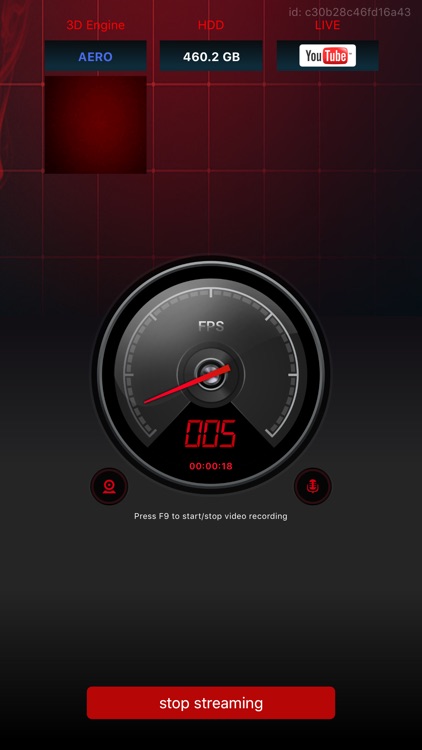
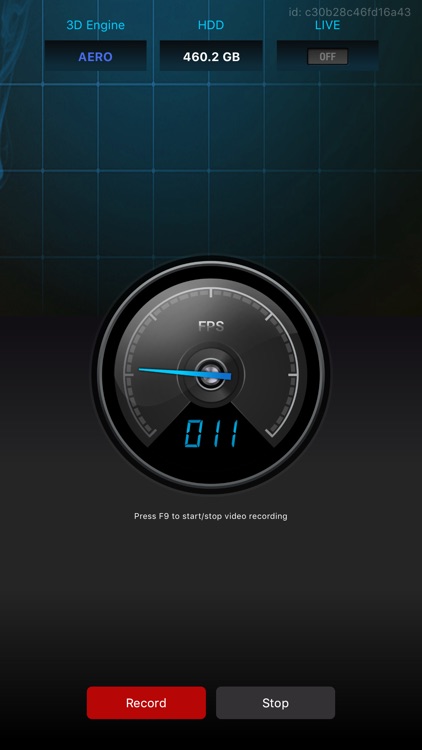
With RCU you can control all basic recording functions of Action!, you can start, stop, pause video recordings and display recorded webcams preview, framerate statistics and video recording time.
With Action! RCU you can hide Action! HUD on your PC and display it only on your mobile device.
Try now, Action! RCU app is free and Action! recorder software for PC is available as a free 30-day trial.
Action! RCU Key features:
- displays games, applications and Windows desktop FPS information
- video recording control: start, stop and pause functions
- LIVE streaming control: start and stop functions
- displays recorded webcams preview
- displays games 3D engine (DX8, DX9, DX10, DX11 or OpenGL)
- displays free disk space on your PC
- easy connection process
Getting started:
- Install Action! software on your PC (min. ver. required 1.24.0)
- Install Action! RCU app on your device
- Run Action! on your PC and make sure to enable Action! RCU (General Settings)
- Run Action! RCU mobile app
- Enjoy!
Minimum Requirements:
- Minimum iOS 8.1
- Action! software (min. version 1.24.0) installed on Windows PC
- Mobile device and PC must be connected to the same local network
Disclaimer:
AppAdvice does not own this application and only provides images and links contained in the iTunes Search API, to help our users find the best apps to download. If you are the developer of this app and would like your information removed, please send a request to takedown@appadvice.com and your information will be removed.
AppAdvice does not own this application and only provides images and links contained in the iTunes Search API, to help our users find the best apps to download. If you are the developer of this app and would like your information removed, please send a request to takedown@appadvice.com and your information will be removed.
