You are using an outdated browser. Please
upgrade your browser to improve your experience.

Customize your keyboard with the most personal and theme-orientated design available in the app store with the new iOS 8 now

Animal Print Skins Custom Keyboard
by Ember Studios, LLC
What is it about?
Customize your keyboard with the most personal and theme-orientated design available in the app store with the new iOS 8 now!
App Store Description
Customize your keyboard with the most personal and theme-orientated design available in the app store with the new iOS 8 now!
Tired of the old and boring keyboards you see on the iPhone and iPads? This app allows you to insert your own animal skin color keyboards on iOs 8. You can get your favorite animal print themes today!
Features:
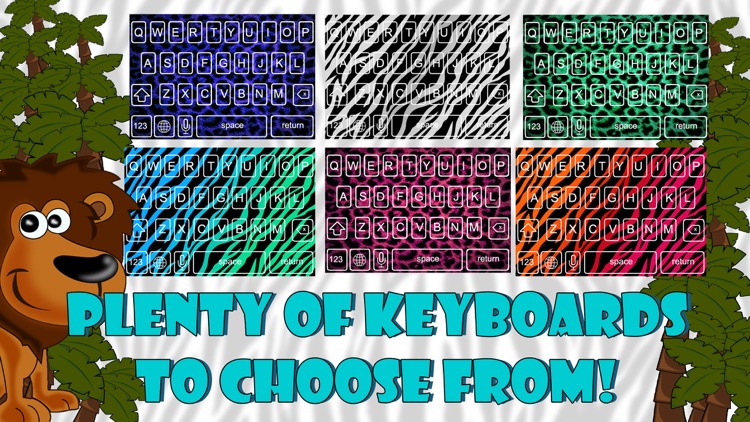
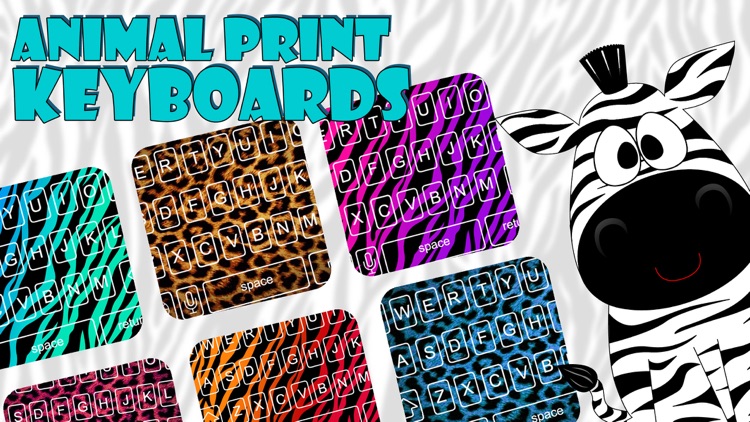
- 8 different types of animal print themes
- Includes photos and customized color schemes
- Lots of corner styles, border styles and transparency effects included
- Brilliant fonts that stand out
- Full iPhone 6 and iPhone 6 plus support
- Compatible with iPhone, iPad and iPod touch
Instructions on how to customize your keyboard:
1. Download the app.
2. Go to 'Settings' and then select 'Keyboard'.
3. Select 'Add New Keyboard'.
4. Click on the name of the keyboard that showed up in your list of keyboards. Select the box for "Allow Full Access".
5. Go back to the app and select the keyboard you want!
Enjoy your customized animal prints keyboard today!
Note: This app is only compatible with iOS 8 devices and later.
Disclaimer:
AppAdvice does not own this application and only provides images and links contained in the iTunes Search API, to help our users find the best apps to download. If you are the developer of this app and would like your information removed, please send a request to takedown@appadvice.com and your information will be removed.
AppAdvice does not own this application and only provides images and links contained in the iTunes Search API, to help our users find the best apps to download. If you are the developer of this app and would like your information removed, please send a request to takedown@appadvice.com and your information will be removed.
