You are using an outdated browser. Please
upgrade your browser to improve your experience.
Set up and manage Bluetooth Low Energy (BLE) beacons with the Google beacon platform

Beacon Tools
by Google, Inc.


What is it about?
Set up and manage Bluetooth Low Energy (BLE) beacons with the Google beacon platform. Beacon Tools lets you configure and register your beacons with your Google Cloud Platform project, and create small attachments for them enabling functionality in your apps or with Google apps and services.
App Screenshots


App Store Description
Set up and manage Bluetooth Low Energy (BLE) beacons with the Google beacon platform. Beacon Tools lets you configure and register your beacons with your Google Cloud Platform project, and create small attachments for them enabling functionality in your apps or with Google apps and services.
Beacon Tools works with Google’s public APIs such as Nearby Messages for retrieving beacon ‘attachments’ in your app, Proximity Beacon API for managing your beacon network, and also the Nearby Notifications service.
• Scan for beacons near you, whether they be Eddystone™ compliant or iBeacons.
• Configure the broadcast profile of those beacons supporting the Eddystone Configuration GATT Service.
• Register new beacons with your Google Cloud Platform project to interact with Google APIs and services, as well as your own app.
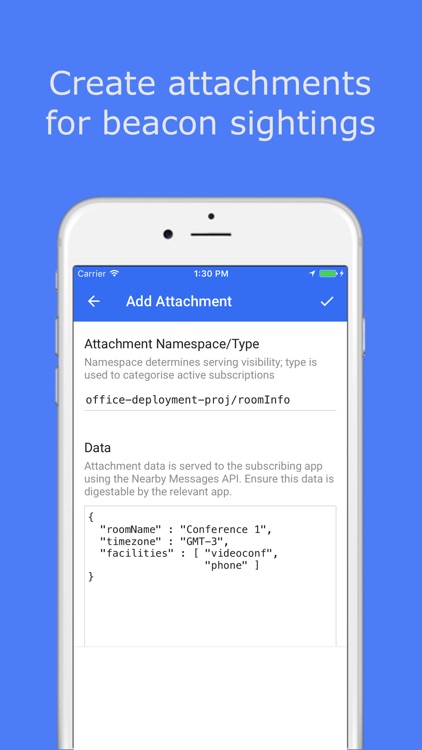
• Create and edit attachments associated with your beacons.
• Update and edit beacons you’ve already registered.
Disclaimer:
AppAdvice does not own this application and only provides images and links contained in the iTunes Search API, to help our users find the best apps to download. If you are the developer of this app and would like your information removed, please send a request to takedown@appadvice.com and your information will be removed.
AppAdvice does not own this application and only provides images and links contained in the iTunes Search API, to help our users find the best apps to download. If you are the developer of this app and would like your information removed, please send a request to takedown@appadvice.com and your information will be removed.
