You are using an outdated browser. Please
upgrade your browser to improve your experience.

Trading Post Helper is a sleek and efficient way of browsing the Guild Wars 2 trading post

Black Lion Trading Post Helper
by Daniel Mukherjee


What is it about?
Trading Post Helper is a sleek and efficient way of browsing the Guild Wars 2 trading post.
Black Lion Trading Post Helper is $0.99 but there are more add-ons
-
$0.99
Remove Ads
App Screenshots


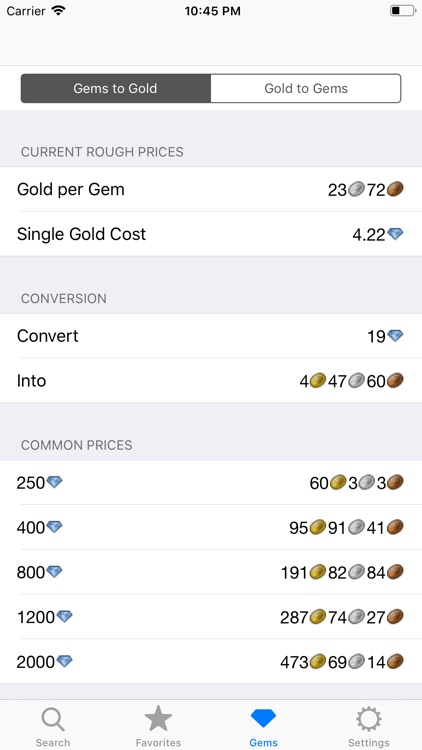
App Store Description
Trading Post Helper is a sleek and efficient way of browsing the Guild Wars 2 trading post.
When you search for an item, you can see a large amount of information at a glance, including:
- Buy Price
- Sell Price
- Profit after flipping
- Rarity of the item, represented as the name colour
- Profit after flipping as a percentage of the sell price, represented as the row colour
- Total amount of buy/sell listings
- Whether there are more buy listings or sell listings
Tapping on an item opens up a detail view showing you more information about the item. This includes the type of item, supply/demand and a breakdown of the individual buy and sell orders available.
Each item can be added to a favourites menu, which updates to the latest prices every time you view it.
Favourite items can be saved into folders that can in turn be sorted into groups
You can extensively refine your searches and favourites with a single tap of the 'refine' button.
The criteria you can sort by are:
- Name
- Item Level
- Profit
- Profit as a percentage of the Sell Price
- Sell Price
- Buy Price
- Supply
- Demand
- Rarity
- Last time the price changed
The criteria you can filter by are:
- Item Level
- Profit
- Sell Price
- Buy Price
- Profit as a percentage of the Sell Price
- Supply
- Demand
- Rarity
Disclaimer:
AppAdvice does not own this application and only provides images and links contained in the iTunes Search API, to help our users find the best apps to download. If you are the developer of this app and would like your information removed, please send a request to takedown@appadvice.com and your information will be removed.
AppAdvice does not own this application and only provides images and links contained in the iTunes Search API, to help our users find the best apps to download. If you are the developer of this app and would like your information removed, please send a request to takedown@appadvice.com and your information will be removed.
