You are using an outdated browser. Please
upgrade your browser to improve your experience.

Cashback Gini helps maximize cashback

Cashback Gini
by Priyank Jain

What is it about?
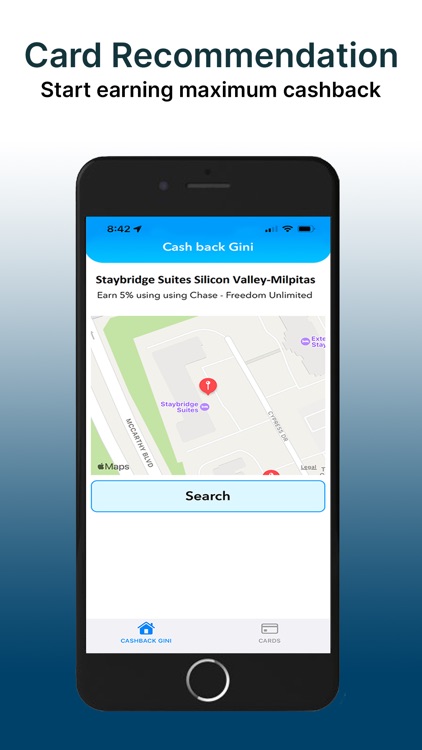
Cashback Gini helps maximize cashback. Whether you are in a restaurant, grocery store, or staying at a hotel, with a single tap you will know the best credit card to use at that merchant to earn maximum cashback. You can easily select all your credit cards without linking or logging into your credit card or bank accounts, and you can start using the app in seconds. The application uses the device’s current location and displays nearby merchants and the credit card to use for maximum cashback.
App Store Description
Cashback Gini helps maximize cashback. Whether you are in a restaurant, grocery store, or staying at a hotel, with a single tap you will know the best credit card to use at that merchant to earn maximum cashback. You can easily select all your credit cards without linking or logging into your credit card or bank accounts, and you can start using the app in seconds. The application uses the device’s current location and displays nearby merchants and the credit card to use for maximum cashback.
Features:
• Finds the best credit card to use at nearby merchants with a single tap
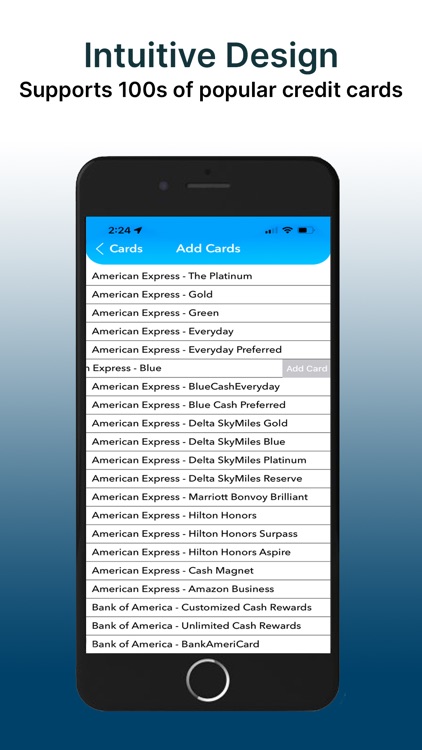
• Supports 100s of popular credit cards
• Supports restaurants, hotels, gas stations, grocery stores, supermarkets, and car-rentals
• Displays your location on the integrated map
• Doesn’t require any credit card or bank login. Add/Remove credit cards with one tap
Coming up next:
• Gini Chart to show the best credit card to use by category including online shopping, airfare, etc.
• Summon Gini (Open App) using Siri or by back tap (iOS14 and later) on your iPhone
• Select a custom cashback category for specific credit cards
• Application search history (merchant name and cashback percentage)
• Credit card recommendation based on the application search history
Disclaimer:
AppAdvice does not own this application and only provides images and links contained in the iTunes Search API, to help our users find the best apps to download. If you are the developer of this app and would like your information removed, please send a request to takedown@appadvice.com and your information will be removed.
AppAdvice does not own this application and only provides images and links contained in the iTunes Search API, to help our users find the best apps to download. If you are the developer of this app and would like your information removed, please send a request to takedown@appadvice.com and your information will be removed.
