You are using an outdated browser. Please
upgrade your browser to improve your experience.

Free, no ads and beautifully presented QR Code Scanner for class attendance

CATQR Class Attendance Tracker
by Shinetech Europe Ltd.

What is it about?
Free, no ads and beautifully presented QR Code Scanner for class attendance.
App Screenshots
App Store Description
Free, no ads and beautifully presented QR Code Scanner for class attendance.
• Free app.
• No ads.
• Fast, secure and easy to use.
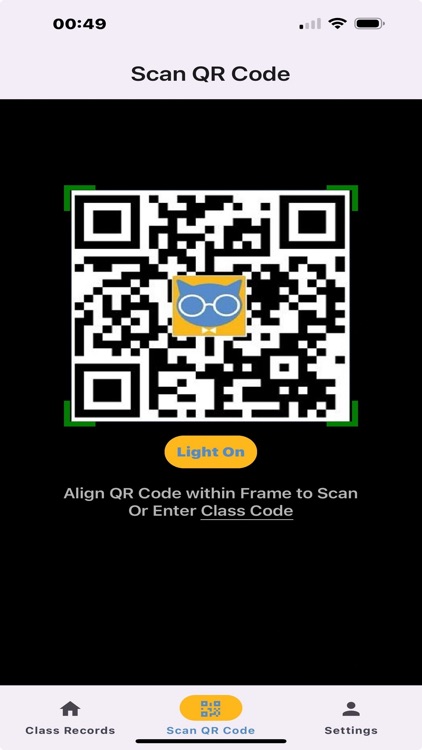
• Simply point the app camera at any QR Code to see the decoded results instantly!
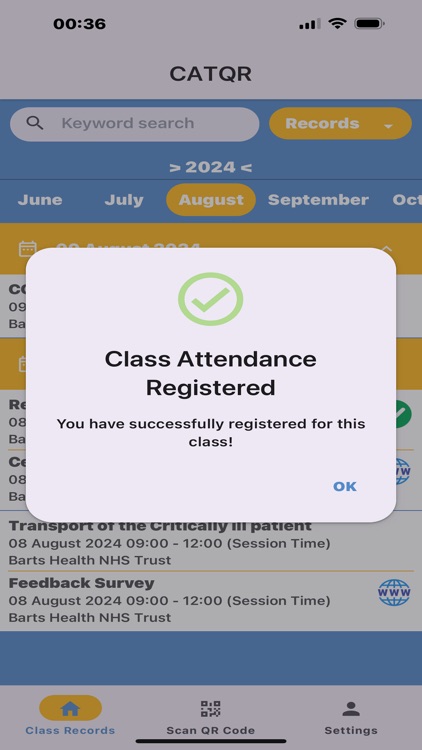
• CATQR app conveniently stores your QR Code scan history and class attendance in the app calendar.
• Click on the Year or Month to see your scan history records for that period.
• Click on the Date to toggle on/off your scan history records on that day.
• Search by keyword and get an e-mail of your scan history.
• Swipe Right on your scan history record to reveal the QR Code.
• Swipe Left on your scan history record to delete the record.
• If you scanned an internet link you will see WWW icon on the scan history record, click on the WWW icon to go to the internet link.
ORGANISER ANALYTICS
Organisers using the CATQR website can create a CATQR Code for a specific class and track attendance in real-time!!
1. Students using their own CATQR app in the classroom can scan the Organiser’s CATQR Code for that specific class. The Student will see the Organiser’s CATQR Code Class Title, Date/Time and the Organiser’s name in their CATQR app scan history.
2. The Organiser can see the students that have attended their specific class in real-time.
3. The Organiser can also export the student attendance to an Excel spreadsheet.
Find out more by visiting https://www.catqr.com
Disclaimer:
AppAdvice does not own this application and only provides images and links contained in the iTunes Search API, to help our users find the best apps to download. If you are the developer of this app and would like your information removed, please send a request to takedown@appadvice.com and your information will be removed.
AppAdvice does not own this application and only provides images and links contained in the iTunes Search API, to help our users find the best apps to download. If you are the developer of this app and would like your information removed, please send a request to takedown@appadvice.com and your information will be removed.
