You are using an outdated browser. Please
upgrade your browser to improve your experience.

The Cities Management/CommunityLink app is designed to make it easier for homeowners and board members to interface with their community association

Citiesync
by CINC Systems


What is it about?
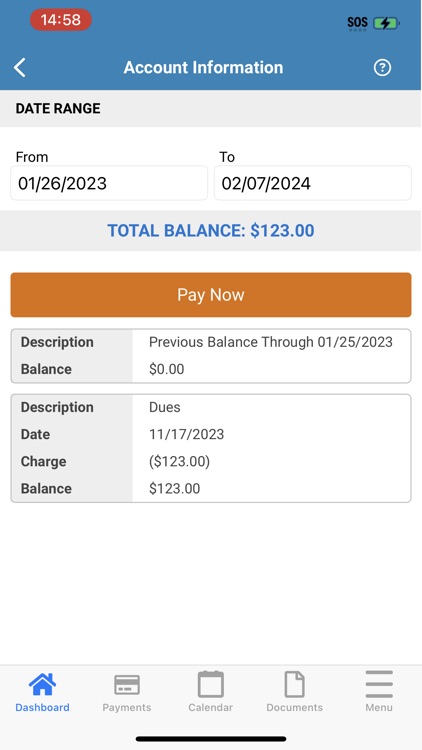
The Cities Management/CommunityLink app is designed to make it easier for homeowners and board members to interface with their community association. Available on all mobile devices, CommunityLink allows you to make payments, view your account, access community information, and much more all in one place.
App Screenshots



App Store Description
The Cities Management/CommunityLink app is designed to make it easier for homeowners and board members to interface with their community association. Available on all mobile devices, CommunityLink allows you to make payments, view your account, access community information, and much more all in one place.
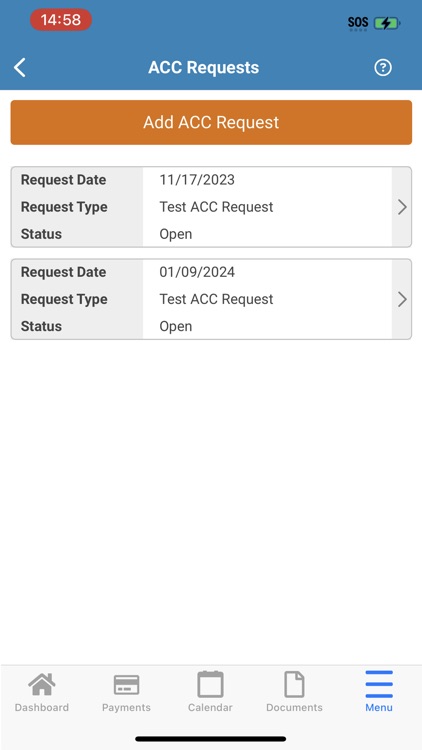
The app’s user-friendly homeowner dashboard lets you:
• Easily switch between accounts if multiple properties are owned
• View association documents
• Access association directories
• Find association photos
• Access the Contact Us page
• Pay assessments
• Access violations, including adding comments and taking pictures from a mobile device for upload
• Submit ACC requests and include pictures and attachments
• Review the homeowner ledger
• Submit, edit, and check the status of work orders
In addition, board members can:
• Create, organize, and review board tasks
• Review ACC requests
• View board documents
• Review pending violations
• Approve invoices
• Review work orders
LOG IN
To log into the app, use the same email address and password you use to log into your association website. If you don’t have a current login to your association site, simply click the Register button and submit your information. Once your registration is approved, you will receive an email with a link to set your password. Then, you’ll be able to log in to your account directly from the app.
If you already have a login and don’t remember your password, click the Forgot Password link and enter your email address to request a password reset. You’ll receive an email with a link to reset your password. Once set, you can log into the app with your email address and new password.
Disclaimer:
AppAdvice does not own this application and only provides images and links contained in the iTunes Search API, to help our users find the best apps to download. If you are the developer of this app and would like your information removed, please send a request to takedown@appadvice.com and your information will be removed.
AppAdvice does not own this application and only provides images and links contained in the iTunes Search API, to help our users find the best apps to download. If you are the developer of this app and would like your information removed, please send a request to takedown@appadvice.com and your information will be removed.
