You are using an outdated browser. Please
upgrade your browser to improve your experience.
Do you have trouble putting faces to names or names to faces

Clever Contacts
by CleverInfo
What is it about?
Do you have trouble putting faces to names or names to faces? Do you forget what you discussed last time you met one of the important people in your life? Clever Contacts solves these problems and helps turn your contacts into connections.
App Screenshots

App Store Description
Do you have trouble putting faces to names or names to faces? Do you forget what you discussed last time you met one of the important people in your life? Clever Contacts solves these problems and helps turn your contacts into connections.
Clever Contacts integrates with the people and organisations in your existing Apple Contacts app and brings them to life:
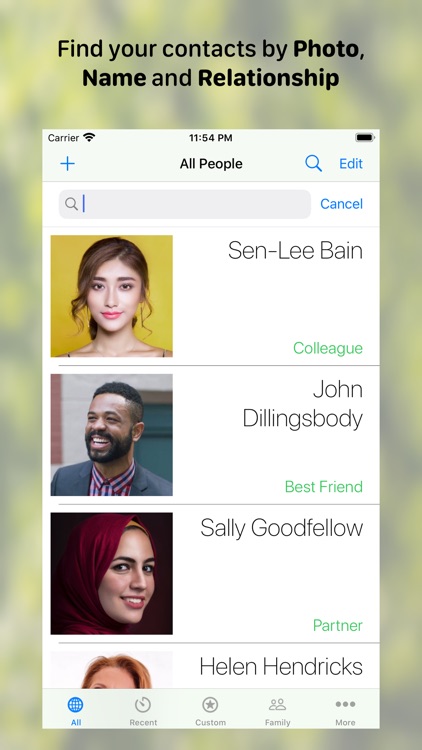
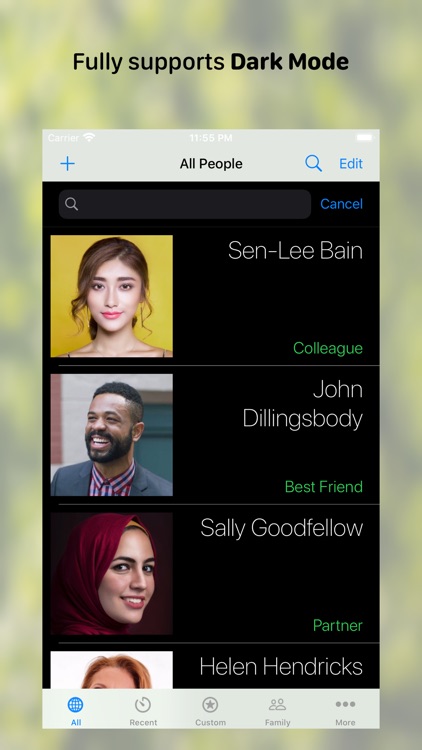
• Scroll smoothly through people's photos, their names and their relationship to you. The text is large and easy to read and of course you can search by the names or relationships.
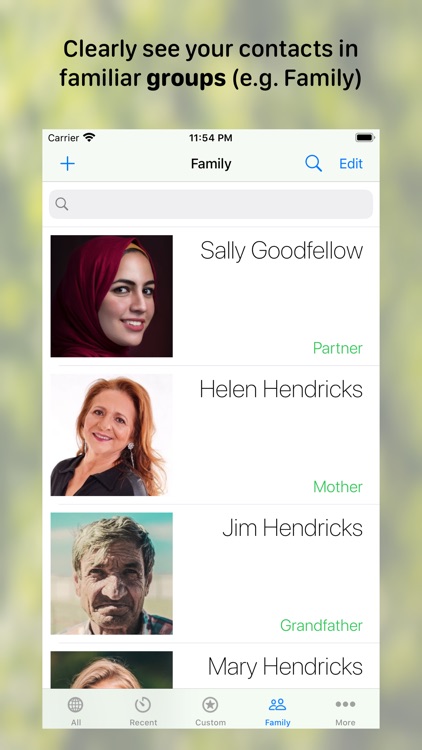
• Put your important people into groups to make finding them even easier: Family, Friends, Services and a custom group that you can rename to something meaningful (e.g. patients, work, clients etc).
• A special "Recent" group is automatically kept up to date to make it simple to find the people you have connected with most recently.
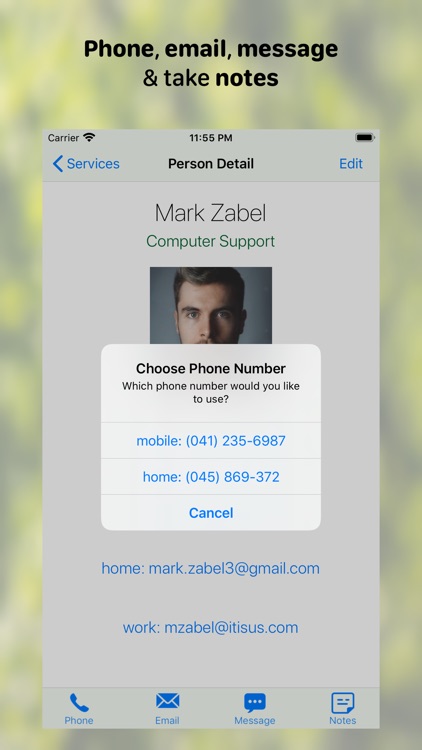
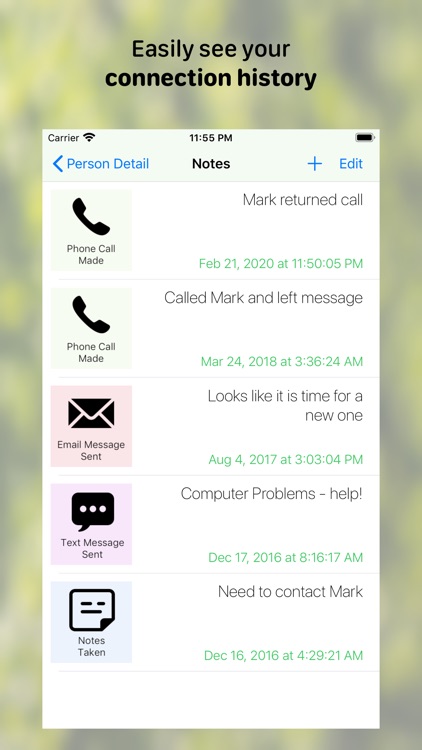
• Tap on a name and easily phone, email or message the person from within the app. When you do one of these actions, a note is created for you so you can see the history of your connections.
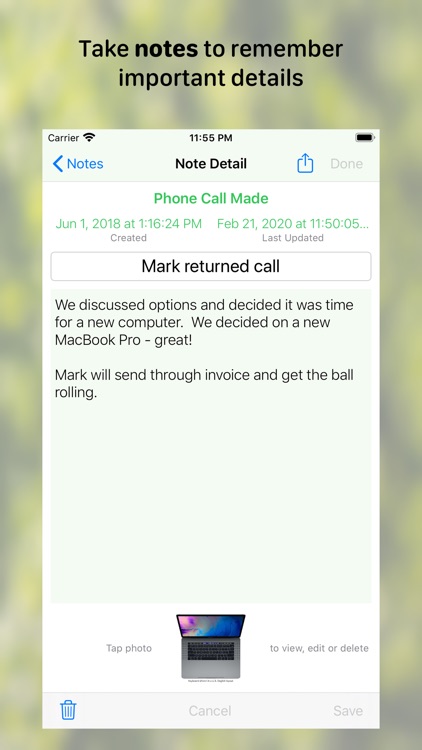
• Create a separate note of a meeting or add comments to a phone, email or message log. If you do a quick review before your next catch-up it will help you to remember all the important details and make this next connection more meaningful.
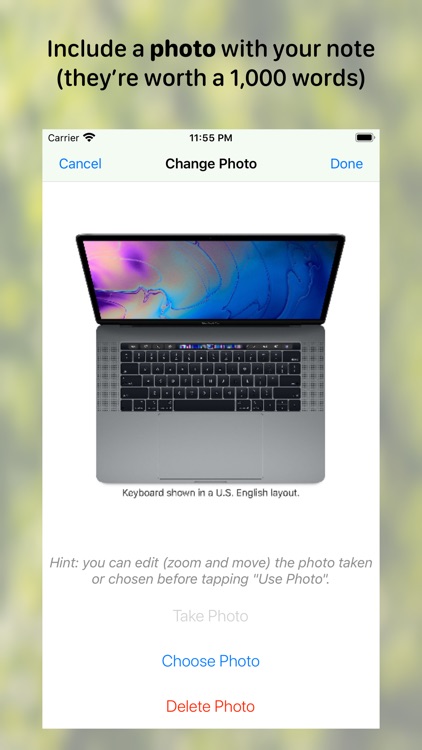
• Add a photo to any note - maybe save that whiteboard or cover of a recommended book.
• Share a note via email, message, social media or your other connected apps.
• Add or update a contact photo easily using the camera, an existing photo in your library or let Clever Contacts assist you to find a photo online.
• If you have multiple devices on the same iCloud account (say an iPhone and an iPad), they will stay in sync - changes made on the iPhone will show up automatically on your iPad.
• Choose to keep your information on your local device only if so desired.
• Use multiple windows on iPads or Mac desktops - great for working on notes and contact lists at the same time.
• Clever Contacts also lets you use your preferred email client (assuming it is already installed) including Apple Mail, Gmail, Microsoft Outlook and a number of others.
• Try it out with 5 notes per contact. If you like the app then a single once-off in-app purchase will allow you to create as many notes as desired for the life of the app. This app does not use subscriptions.
At CleverInfo we take your privacy very seriously. Clever Contacts only stores information locally on your devices and your own iCloud account. No-one else has access to your precious information.
Important note: if your device has been provided by your work and is managed by them (using Mobile Device Management - MDM), they may have locked access to your work contacts for other apps including Clever Contacts. You will still be able to access and create local contacts on your own devices.
Disclaimer:
AppAdvice does not own this application and only provides images and links contained in the iTunes Search API, to help our users find the best apps to download. If you are the developer of this app and would like your information removed, please send a request to takedown@appadvice.com and your information will be removed.
AppAdvice does not own this application and only provides images and links contained in the iTunes Search API, to help our users find the best apps to download. If you are the developer of this app and would like your information removed, please send a request to takedown@appadvice.com and your information will be removed.
