You are using an outdated browser. Please
upgrade your browser to improve your experience.

This app provides two-factor authentication for CMAR Practitioners

CMAR Practitioner
by Conquest Muscle Activation & Rehabilitation

What is it about?
This app provides two-factor authentication for CMAR Practitioners.
App Screenshots
App Store Description
This app provides two-factor authentication for CMAR Practitioners.
Passwords are often forgotten, and can be saved by browsers, which doesn't protect your account if your laptop is stolen or misplaced.
We're happy to require one thing be in your possession when signing in; your Apple device. With it, you can sign in quickly, easily, and safely!
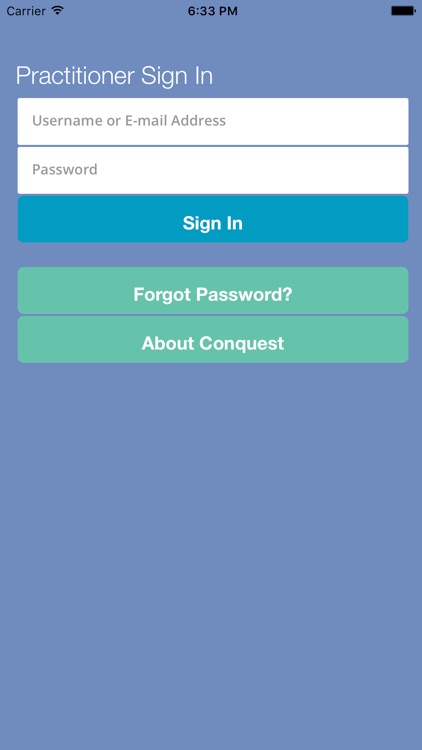
1. Sign in with your Conquest Muscle Activation & Rehabilitation Practitioner e-mail address and password.
2. Name the iOS device you are using.
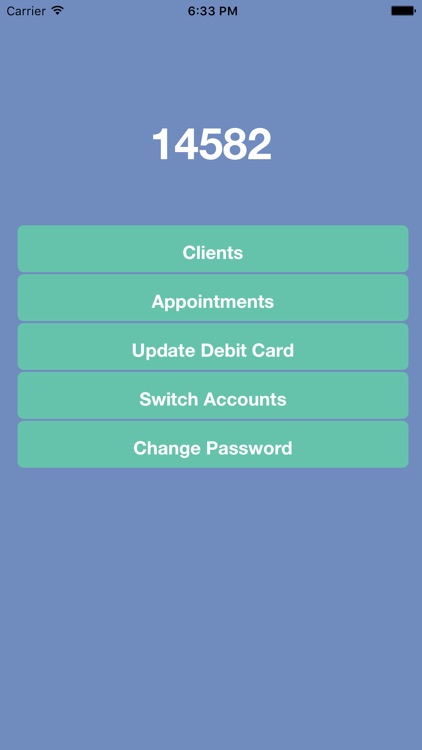
3. A unique code will be displayed.
5. Sign in at https://conquestmuscleactivation.com/signin using a web browser. When prompted to "Enter Mobile Authorization Code", enter the 5 digit number displayed on your iOS device.
6. Congratulations, you have securely signed in to the Conquest Muscle Activation & Rehabilitation website.
7. Anytime you launch the app, a new code will be displayed, and you won't need to sign in on the device or name the device again - unless you add another device. You can add up to 10 devices.
To learn about Muscle Activation, please visit us at https://conquestmuscleactivation.com
Questions? Please contact info@conquestmuscleactivation.com
Disclaimer:
AppAdvice does not own this application and only provides images and links contained in the iTunes Search API, to help our users find the best apps to download. If you are the developer of this app and would like your information removed, please send a request to takedown@appadvice.com and your information will be removed.
AppAdvice does not own this application and only provides images and links contained in the iTunes Search API, to help our users find the best apps to download. If you are the developer of this app and would like your information removed, please send a request to takedown@appadvice.com and your information will be removed.
