You are using an outdated browser. Please
upgrade your browser to improve your experience.

Circuit Scribe lets you learn about electronics by drawing working circuits with conductive silver ink

CS Circuits
by Electroninks Writeables, Inc

What is it about?
Circuit Scribe lets you learn about electronics by drawing working circuits with conductive silver ink. Draw circuits that connect a battery to lights, buzzers, motors, and more.
App Store Description
Circuit Scribe lets you learn about electronics by drawing working circuits with conductive silver ink. Draw circuits that connect a battery to lights, buzzers, motors, and more.
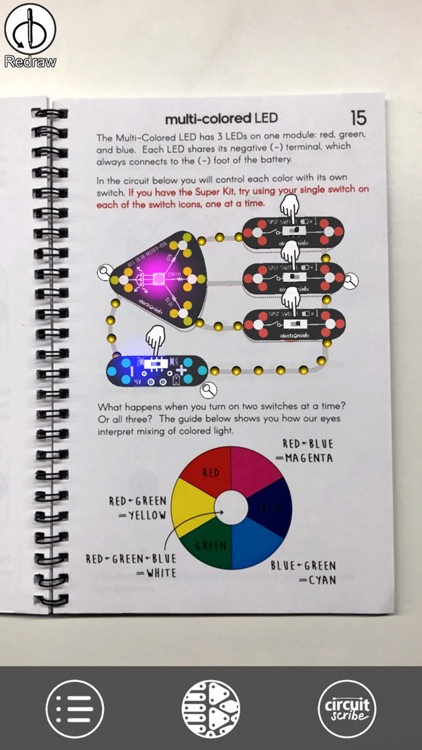
With the CS Circuits app, augmented reality shows you how circuits are drawn, where modules go, and how the current flows. Interact by, say, turning a dial on the screen and see the animation of flowing current change in real-time based on your input.
Using the app is easy - simply point your device at any page in the Circuit Scribe Inventor’s Notebook (downloadable as a PDF) that contains a circuit diagram and see it come to life. The CS app shows you information about connecting all kinds of electronic modules - LEDs, buzzers, motors, transistors, potentiometers, blinkers that contain a 555 timer, a light sensor, and switches.
Disclaimer:
AppAdvice does not own this application and only provides images and links contained in the iTunes Search API, to help our users find the best apps to download. If you are the developer of this app and would like your information removed, please send a request to takedown@appadvice.com and your information will be removed.
AppAdvice does not own this application and only provides images and links contained in the iTunes Search API, to help our users find the best apps to download. If you are the developer of this app and would like your information removed, please send a request to takedown@appadvice.com and your information will be removed.
