You are using an outdated browser. Please
upgrade your browser to improve your experience.
The app allows you to search for information on Google for a specific date or in between specified dates

Date Range Search Filter Tool
by Gregory Strigunov


What is it about?
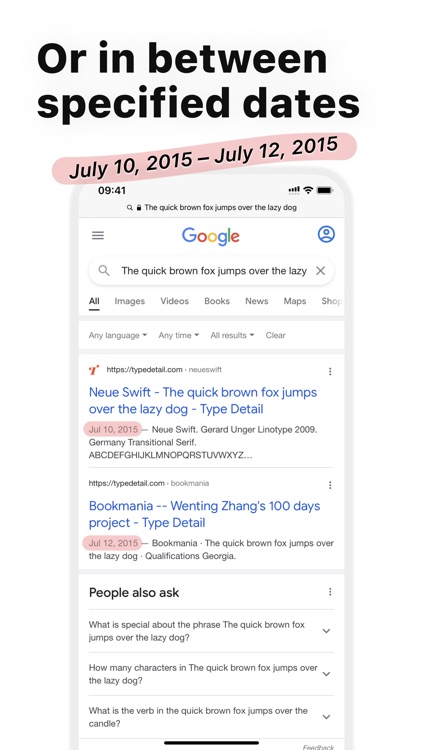
The app allows you to search for information on Google for a specific date or in between specified dates.
App Screenshots


App Store Description
The app allows you to search for information on Google for a specific date or in between specified dates.
For example, you can find out what the media wrote about between June 5, 2014 and July 17, 2014.
Or you can specify only 1 date. For example - no earlier than August 7, 2015 or no later than May 3, 2012.
HOW TO USE?
There are 2 options for searching - use the app or use the extension.
VIA APPLICATION
1. Open any browser and do the Google search you want
2. Copy the link (through the «Share» menu, this is important)
3. Open the application and click «Search»
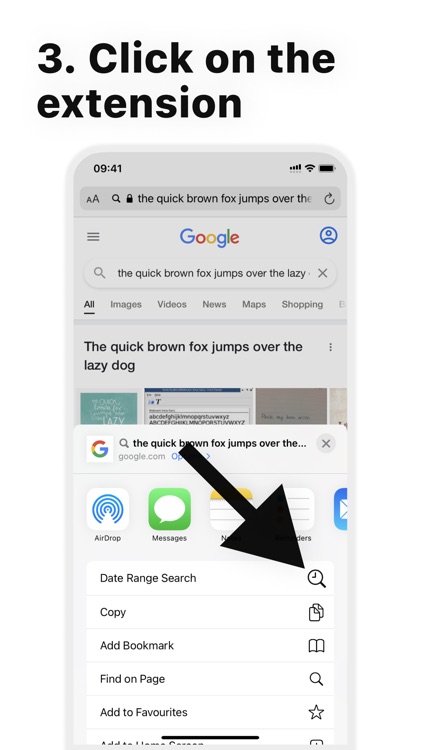
VIA EXTENSION
1. Open any browser and do the Google search you want
2. Click the «Share» button and select the extension (the extension has the same icon as the app)
Also, there is a video instruction in the application.
Subscription pricing and terms
The subscription will automatically renew unless turned off in your iTunes Account Settings at least 24 hours before the current period ends. You can go to your iTunes Account settings to manage your subscription and turn off auto-renew. Your iTunes Account will be charged when the purchase is confirmed. Any unused portion of a free trial period, if offered, will be forfeited when you purchase a subscription, where applicable. App is not affiliated with Google.
Terms of use: https://rebrand.ly/vgo0v4s
Privacy policy: https://rebrand.ly/jbcwojb
Disclaimer:
AppAdvice does not own this application and only provides images and links contained in the iTunes Search API, to help our users find the best apps to download. If you are the developer of this app and would like your information removed, please send a request to takedown@appadvice.com and your information will be removed.
AppAdvice does not own this application and only provides images and links contained in the iTunes Search API, to help our users find the best apps to download. If you are the developer of this app and would like your information removed, please send a request to takedown@appadvice.com and your information will be removed.
