You are using an outdated browser. Please
upgrade your browser to improve your experience.
DTM LeaflessTM is a digital transaction management app that simplifies the workflow of tracking medical supplies and products for medical sales reps, doctors, nurses and facilities

DTM Leafless
by Ioan Fodor

What is it about?
DTM LeaflessTM is a digital transaction management app that simplifies the workflow of tracking medical supplies and products for medical sales reps, doctors, nurses and facilities. It’s time to ditch the paperwork. We're making medical supplies tracking easy: Scan > Validate > Sign.
App Screenshots

App Store Description
DTM LeaflessTM is a digital transaction management app that simplifies the workflow of tracking medical supplies and products for medical sales reps, doctors, nurses and facilities. It’s time to ditch the paperwork. We're making medical supplies tracking easy: Scan > Validate > Sign.
DTM Leafless’s primary purpose is to provide healthcare facilities with the option of replacing a paper-based process of tracking non-inventory products brought into their facilities by outside medical sales personnel, referred throughout the document as Sales Reps, with a digital process supported by its adjacent DTM Leafless SaaS cloud application. Note: No patient information is ever required, submitted, or stored to use DTM Leafless.
As a sales representative, or medical facility staff you will be able to easily scan your products and create a summary of the supplies used during a surgical procedure, create a case summary, and avoid the inconvenience of paperwork, human errors, and payment delays. The scanned data is sent to the cloud where all parties involved have the ability to view the data, submit comments, and finalize purchase orders and invoices.
Here are the steps on how to use the application:
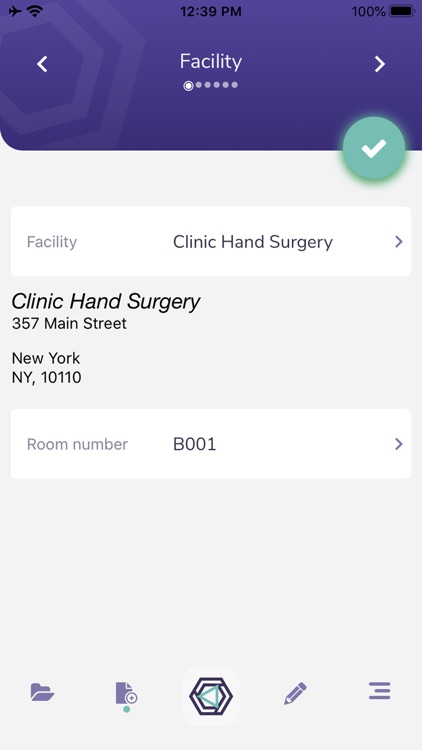
1. Start by creating a new case using the appropriate information related to the surgical procedure you're attending
2. Scan all the materials by using the barcode scanner functionality provided in the mobile app
3. Show the app's Summary Screen with the list of all the products scanned during the procedure to the member of the medical staff in charge of reviewing them
4. Capture the signature of the person validating the receipt of products and quantities used during the procedure
5. Submit the case summary for review to the AP department
DTM Leafless’s primary purpose is to provide healthcare facilities with the option of replacing a paper-based process of tracking non-inventory products brought into their facilities by outside medical sales personnel, referred throughout the document as Sales Reps, with a digital process supported by its adjacent DTM Leafless SaaS cloud application. Note: No patient information is ever required, submitted, or stored to use DTM Leafless.
As a sales representative, or medical facility staff you will be able to easily scan your products and create a summary of the supplies used during a surgical procedure, create a case summary, and avoid the inconvenience of paperwork, human errors, and payment delays. The scanned data is sent to the cloud where all parties involved have the ability to view the data, submit comments, and finalize purchase orders and invoices.
Here are the steps on how to use the application:
1. Start creating a new case by selecting the appropriate information related to the surgical procedure
2. Scan all the materials by using the barcode scanner functionality provided in the mobile app
3. Show your app's Summary Screen for a review of all the products scanned during the procedure
4. Capture the signature of the person validating the receipt of products and quantity used during the procedure
5. Submit the case summary for review to the AP department
NOTE: At this time the DTM Leafless mobile app is designed to work on iPhones only
Disclaimer:
AppAdvice does not own this application and only provides images and links contained in the iTunes Search API, to help our users find the best apps to download. If you are the developer of this app and would like your information removed, please send a request to takedown@appadvice.com and your information will be removed.
AppAdvice does not own this application and only provides images and links contained in the iTunes Search API, to help our users find the best apps to download. If you are the developer of this app and would like your information removed, please send a request to takedown@appadvice.com and your information will be removed.
