You are using an outdated browser. Please
upgrade your browser to improve your experience.

Experience the power of EdrawMax App – your on-the-go solution for viewing, creating, and editing diagrams

EdrawMax - AI Diagram Maker
by Edraw Software Co., Ltd


What is it about?
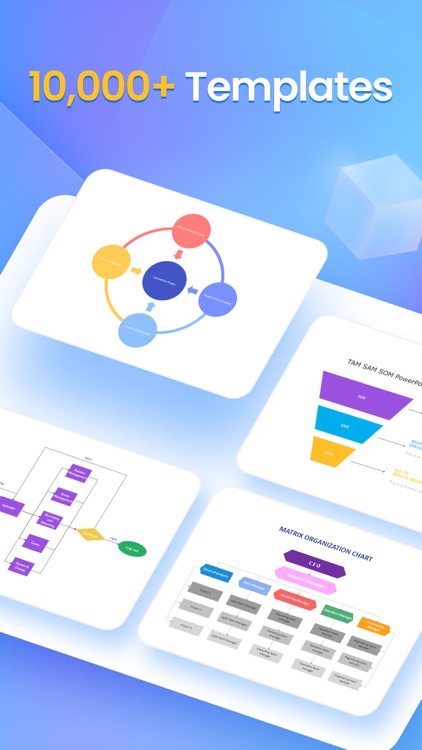
Experience the power of EdrawMax App – your on-the-go solution for viewing, creating, and editing diagrams. Explore 40,000+ built-in templates, covering flowcharts, designs, organizational charts, project plans, and more. Dive into a world of creativity and efficiency. Learn more in the following introduction.
App Screenshots



App Store Description
Experience the power of EdrawMax App – your on-the-go solution for viewing, creating, and editing diagrams. Explore 40,000+ built-in templates, covering flowcharts, designs, organizational charts, project plans, and more. Dive into a world of creativity and efficiency. Learn more in the following introduction.
Template Hub
• Diverse Styles: Explore a multitude of templates, from flowcharts, visuals, floor plans, electrical engineering to software/system planning, meetings, brainstorming, org charts, P&ID drawings, and strategy/project planning. Countless options await.
• Instant Inspiration: Effortlessly duplicate templates with a single click, drawing inspiration from others. It's user-friendly and quick.
• Social Engagement: Like, follow, and save fellow designers' creations. Gain insights and easily access saved designs for continuous learning.
• Personal Showcase: Join the community, create your account, and showcase your designs. Share your expertise and evolve into a more professional designer.
Empower Your Diagrams On-the-Go
• Text Mastery: Edit text with ease—adjust size, style, color, and line spacing effortlessly.
• Shape Precision: Customize shapes effortlessly—resize, fill with color, modify borders, or replace shapes seamlessly.
• Connector Finesse: Tailor your connectors for flowcharts—choose styles, customize weight, type, style, and line start/end points. Craft your diagrams with precision, anytime, anywhere.
Effortless Sharing
• Seamlessly share across various apps and spread inspiration with friends and colleagues anytime, anywhere. Boost collaboration effortlessly!
Optimized Export Options
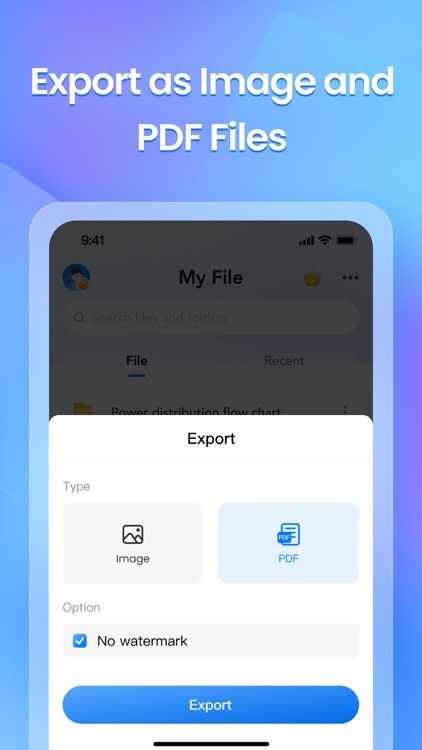
• Convert your diagram design to an image effortlessly.
• Export graphic designs as PDFs seamlessly.
• Enjoy watermark-free exports for a polished finish.
Tailored Reading Experience
• Professional reading mode, fully optimized for mobile phones, ensuring a convenient viewing experience on your devices. Dive into your diagrams with ease!
User-Friendly Experience
• Fear not, beginners! Step-by-step guidance is here to turn you into a diagram expert effortlessly.
In-App Purchase Information
• Payment charged upon confirmation via iTunes account.
• Subscriptions auto-renew; disable 24hrs before current period ends in Settings > iTunes & App Store.
Privacy & Terms
• Privacy Policy: https://www.edrawsoft.com/privacy-policy.html
• Terms & Conditions: https://www.edrawsoft.com/terms-conditions.html
Enhancements in Progress
• We're diligently enhancing to match desktop power. For assistance, contact our professional customer service team:
• Email: support@edrawsoft.com
• Support Center: https://www.edrawsoft.com/support-center.html
• Website: https://www.edrawsoft.com/
• Twitter: Edraw @edrawsoft
• Facebook: Edraw Software
Disclaimer:
AppAdvice does not own this application and only provides images and links contained in the iTunes Search API, to help our users find the best apps to download. If you are the developer of this app and would like your information removed, please send a request to takedown@appadvice.com and your information will be removed.
AppAdvice does not own this application and only provides images and links contained in the iTunes Search API, to help our users find the best apps to download. If you are the developer of this app and would like your information removed, please send a request to takedown@appadvice.com and your information will be removed.
