You are using an outdated browser. Please
upgrade your browser to improve your experience.

The Edwards App is the brand new way of quickly and securely placing your orders with Edwards

Edwards
by Adventoris Limited

What is it about?
The Edwards App is the brand new way of quickly and securely placing your orders with Edwards.
App Details
Version
3.8
Rating
NA
Size
19Mb
Genre
Business Food & Drink
Last updated
July 30, 2019
Release date
June 12, 2018
More info
App Screenshots


App Store Description
The Edwards App is the brand new way of quickly and securely placing your orders with Edwards.
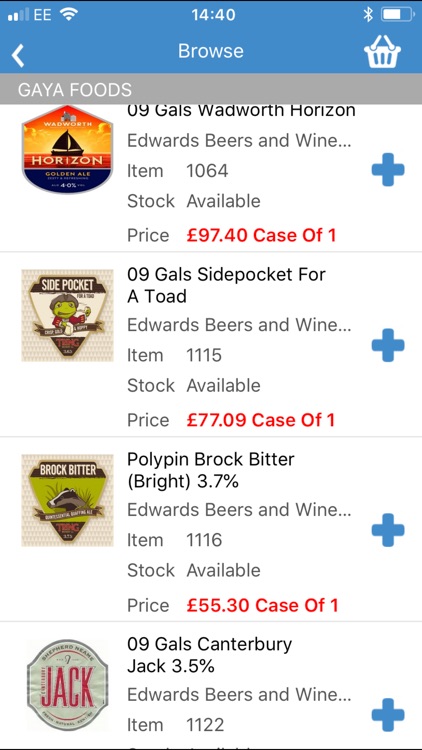
Once registered, you can browse our product listings or search for products by product code, by description or by scanning a barcode with your device’s camera. Quickly and easily check stock availability, place orders and receive special promotions and discounts, all from your smartphone or tablet.
How can the Edwards App benefit you?
• Completely free to install and use.
• Current stock availability and fast order entry saving time and money
• Promotions and discounts are highlighted
How does the Edwards App work?
Register and process orders in 5 Easy Steps using the Edwards App:
1. Open the App on your smartphone
2. Browse our product range or search by product code, name or barcode image
3. Check stock availability and pricing
4. Place your order, then click and submit (partial orders can also be saved in the cloud to finish at a later date, on any compatible device)
5. Your order will be quickly processed and goods dispatched in line with our usual delivery terms.
Click Install - to start downloading the free App from the App Store and start saving time and money when ordering from Edwards.
Disclaimer:
AppAdvice does not own this application and only provides images and links contained in the iTunes Search API, to help our users find the best apps to download. If you are the developer of this app and would like your information removed, please send a request to takedown@appadvice.com and your information will be removed.
AppAdvice does not own this application and only provides images and links contained in the iTunes Search API, to help our users find the best apps to download. If you are the developer of this app and would like your information removed, please send a request to takedown@appadvice.com and your information will be removed.
