You are using an outdated browser. Please
upgrade your browser to improve your experience.
The application is used for people who come from abroad and are placed in domestic isolation according to the regulation of the crisis staff and the public health office of the Slovak Republic

eKarantena Slovensko
by Narodne centrum zdravotnickych informacii
What is it about?
The application is used for people who come from abroad and are placed in domestic isolation according to the regulation of the crisis staff and the public health office of the Slovak Republic.
App Screenshots
App Store Description
The application is used for people who come from abroad and are placed in domestic isolation according to the regulation of the crisis staff and the public health office of the Slovak Republic.
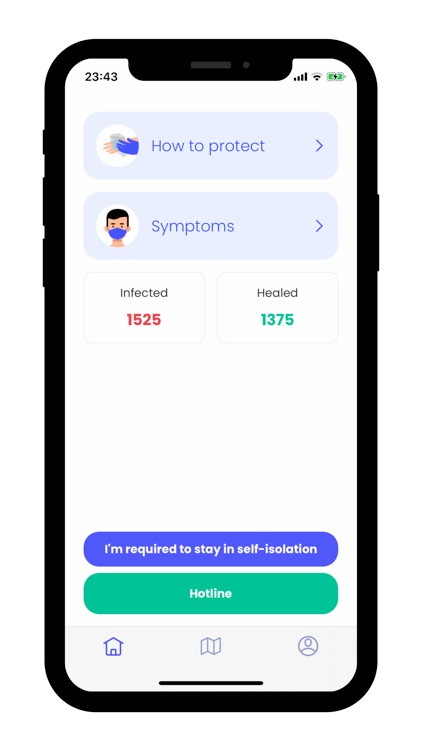
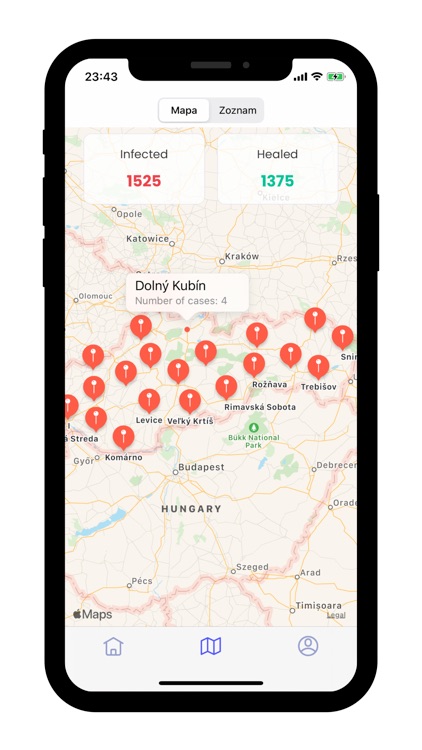
The main goal of the app is to inform the user about the remaining quarantine period, to notify the need to verify compliance with home insulation through facial biometrics and GPS coordinates. At the same time, the application displays statistical data of the total number of cases related to COVID-19.
The process of home quarantine functionality is as follows:
1. The user, repatriant, who would like to apply for the domestic quarantine, must register on the website https://ekarantena.korona.gov.sk/with his identification data, as well as the exact place where he will stay throughout the domestic quarantine. Please note, that this location can't be changed later. At the same time, it is necessary to use a telephone number, which the user will use as a reference telephone number in this telephone at all times for the eKarantena application. The telephone number cannot be changed and must be identical to the number with the one that was provided in the registration form on the website https://ekarantena.korona.gov.sk/
2. The user downloads this application, the app requires three permissions from the user to run correctly, namely location services, which must run in the background, push notifications, and access to the camera. The user must have internet at all times, as well as a valid SIM card on the phone where the application runs and is registered for the entire period of use. Without these features, the user will not be allowed to use home quarantine and may be placed in a state facility.
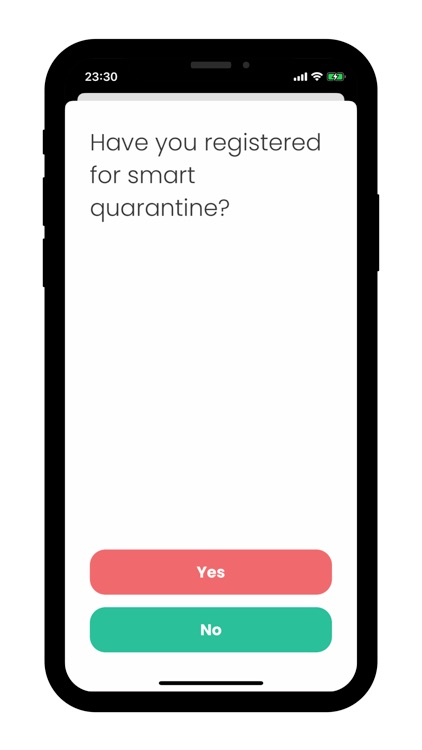
3. The user then registers via a verification SMS and makes his personal facial biometrics, which will be checked at the borders.
4. If the application does not work on the phone or all functionalities are not enabled, the user might not be allowed to apply for home quarantine.
5. At the border, the authority is going to verify that the user has been properly registered for the home quarantine.
6. The user proves himself with his personal code or bar code, which is located under the Profile tab in the eKarantena application directly in front of the authority.
7. The user reports his COVID-19 identifier to the authority, or the authority scans the bar code, the security code dictated by the authority is verified, and then a verification code is generated, which the authority verifies and enters into the system. From this point on, it takes 8 hours to move to the quarantine site in the web form in step 1.
8. At the quarantine site, the application can query via SMS messages to verify the user. The verification time may change from day to day and you need to verify immediately and keep your phone available.
9. Verification is performed by means of facial biometrics and information regarding the time, date, or deviation from the location of the domestic quarantine is sent to the server.
The application constantly checks the GPS position locally and reports a violation in case the user abandones his chosen quarantine location.
For the application to work correctly, it is necessary:
- allow access to the camera
- allow access to the location services
- avoid discharging the phone
- leave the application installed. Unfortunately, the reinstallation is not possible.
- leave notifications turned on for incoming SMS (or check the phone regularly) for the purpose of verifying facial biometrics
- provide internet access
Disclaimer:
AppAdvice does not own this application and only provides images and links contained in the iTunes Search API, to help our users find the best apps to download. If you are the developer of this app and would like your information removed, please send a request to takedown@appadvice.com and your information will be removed.
AppAdvice does not own this application and only provides images and links contained in the iTunes Search API, to help our users find the best apps to download. If you are the developer of this app and would like your information removed, please send a request to takedown@appadvice.com and your information will be removed.
