You are using an outdated browser. Please
upgrade your browser to improve your experience.

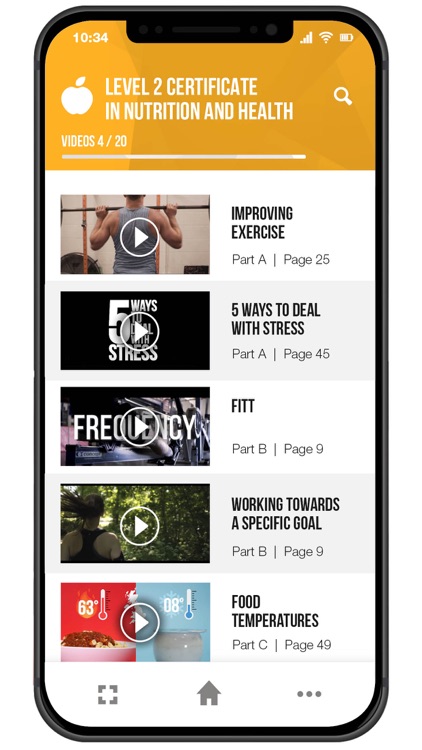
The EQUAL App focuses on enabling learners who study an industry-standard qualification with The Skills Network to access additional interactive Augmented Reality (AR) content, such as 3D models, video case studies and a Virtual Tutor, by scanning areas of their chosen workbook via the app’s AR Lens

EQUAL
by The Skills Network Ltd

What is it about?
The EQUAL App focuses on enabling learners who study an industry-standard qualification with The Skills Network to access additional interactive Augmented Reality (AR) content, such as 3D models, video case studies and a Virtual Tutor, by scanning areas of their chosen workbook via the app’s AR Lens.
App Store Description
The EQUAL App focuses on enabling learners who study an industry-standard qualification with The Skills Network to access additional interactive Augmented Reality (AR) content, such as 3D models, video case studies and a Virtual Tutor, by scanning areas of their chosen workbook via the app’s AR Lens.
Users will be instructed to make their way through several tutorial screens to show the quick and easy set up before adding their chosen course into their account. Following this, users will be able to 'unlock' interactive content through scanning icons within their learning materials.
Once content is 'unlocked' users can then view this in theatre mode to allow for a fully accessible experience.
Disclaimer:
AppAdvice does not own this application and only provides images and links contained in the iTunes Search API, to help our users find the best apps to download. If you are the developer of this app and would like your information removed, please send a request to takedown@appadvice.com and your information will be removed.
AppAdvice does not own this application and only provides images and links contained in the iTunes Search API, to help our users find the best apps to download. If you are the developer of this app and would like your information removed, please send a request to takedown@appadvice.com and your information will be removed.
