You are using an outdated browser. Please
upgrade your browser to improve your experience.

This app is used with Everlast™ Fitness Trackers to track and graph your fitness progress for steps, calories, distance traveled, and sleep quality as well as personal fitness goals

EVERLAST TRACKER
by Xtreme Time Inc

What is it about?
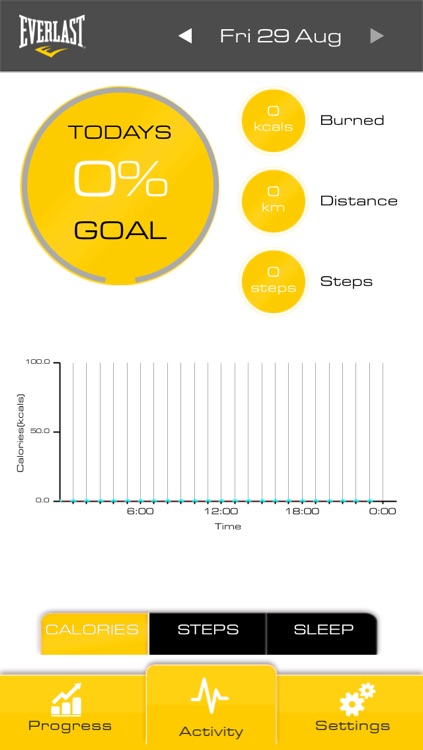
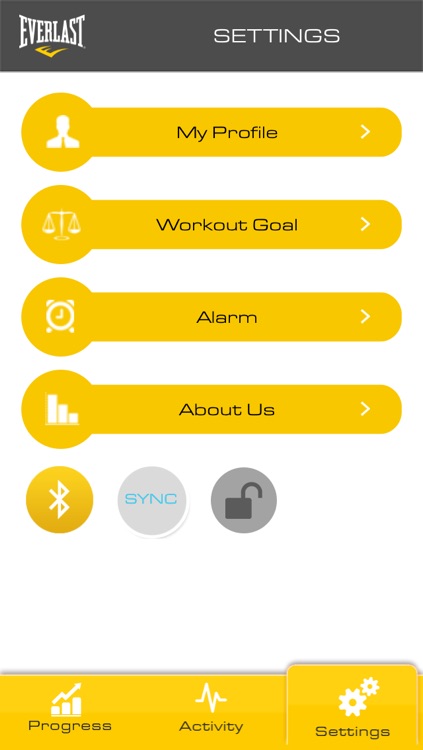
This app is used with Everlast™ Fitness Trackers to track and graph your fitness progress for steps, calories, distance traveled, and sleep quality as well as personal fitness goals. Once the app is downloaded and your BT is on, open the app and press the large sync button to join your fitness tracker module and app together. Once the sync is complete you can hit the skip button at the bottom right of the screen to move to the profile menu and set up your personal fitness information (make sure to hit save at the bottom of the screen). If you need to re-sync later on you can do so from the setting menu accessed by hitting the settings tab at the bottom right of the app.. The Progress and Activity tabs at the bottom of the app show your fitness records in measurements and percentages of your goals as well as graph forms. Data can be viewed by day, week, month and year. You can set your personal fitness goals, alarm, and other settings in the settings menu.
App Store Description
This app is used with Everlast™ Fitness Trackers to track and graph your fitness progress for steps, calories, distance traveled, and sleep quality as well as personal fitness goals. Once the app is downloaded and your BT is on, open the app and press the large sync button to join your fitness tracker module and app together. Once the sync is complete you can hit the skip button at the bottom right of the screen to move to the profile menu and set up your personal fitness information (make sure to hit save at the bottom of the screen). If you need to re-sync later on you can do so from the setting menu accessed by hitting the settings tab at the bottom right of the app.. The Progress and Activity tabs at the bottom of the app show your fitness records in measurements and percentages of your goals as well as graph forms. Data can be viewed by day, week, month and year. You can set your personal fitness goals, alarm, and other settings in the settings menu.
Disclaimer:
AppAdvice does not own this application and only provides images and links contained in the iTunes Search API, to help our users find the best apps to download. If you are the developer of this app and would like your information removed, please send a request to takedown@appadvice.com and your information will be removed.
AppAdvice does not own this application and only provides images and links contained in the iTunes Search API, to help our users find the best apps to download. If you are the developer of this app and would like your information removed, please send a request to takedown@appadvice.com and your information will be removed.
