You are using an outdated browser. Please
upgrade your browser to improve your experience.

Scan the qrcode on the eticket and validate it with the server

FE Scan
by Roel Dekker


What is it about?
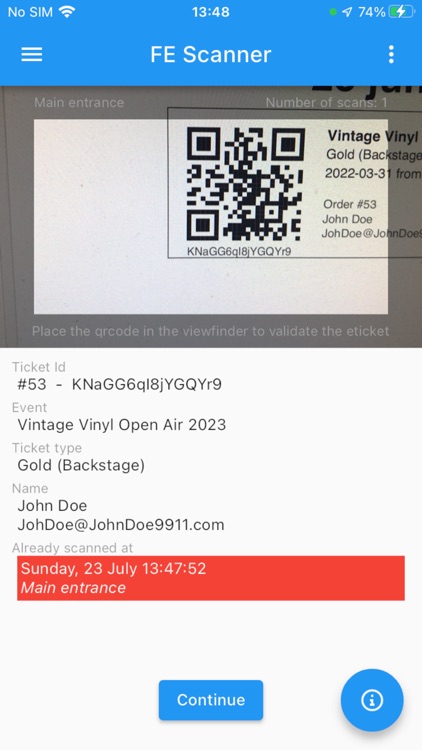
Scan the qrcode on the eticket and validate it with the server. Each valid ticket is admitted only once; forged or copied tickets are rejected. After scanning a valid qrcode the smartphone shows a green bar and beeps once, but after scanning an invalid qrcode it shows a red bar with the earlier scanned data and vibrates.
App Screenshots

App Store Description
Scan the qrcode on the eticket and validate it with the server. Each valid ticket is admitted only once; forged or copied tickets are rejected. After scanning a valid qrcode the smartphone shows a green bar and beeps once, but after scanning an invalid qrcode it shows a red bar with the earlier scanned data and vibrates.
During scanning the smartphone must have internet access (WiFi or mobile data) to check with the server. Data usage is very minimal; 1000 scans is less than 1 Mb of data.
FEATURES:
- Scan tickets with qrcodes in realtime
- No limit on scanning simultaneously with multiple smartphones
- Display event, name, email and tickettype for registered tickets
- Display event, name, email, tickettype, scantime and entrance-description for earlier scanned tickets
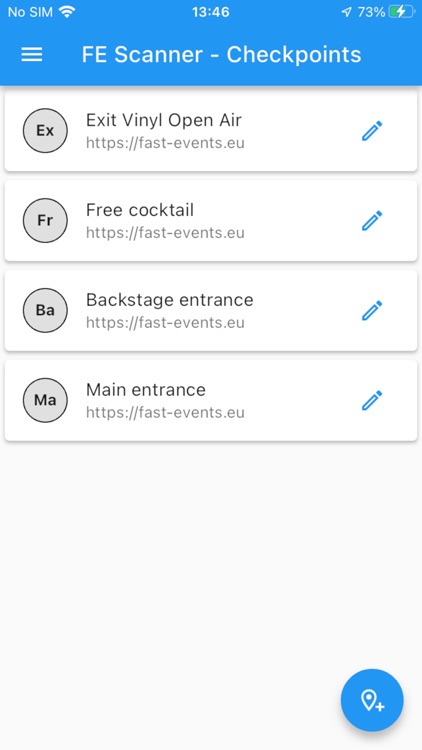
- Record scantime and entrance-description
- Restrict scanning of ticket types
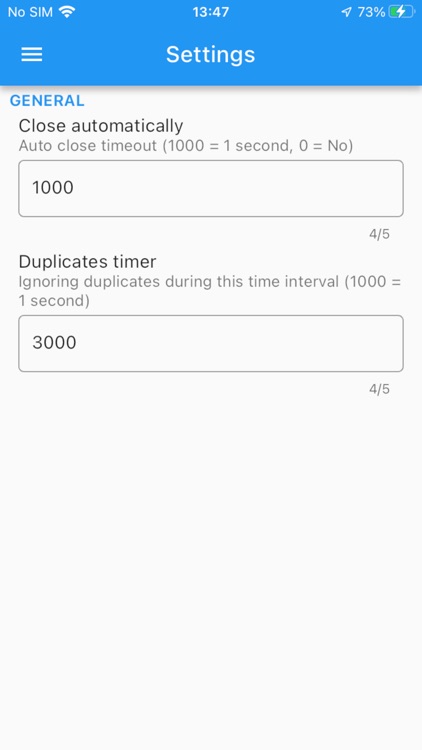
- Set settings via config qrcode
Disclaimer:
AppAdvice does not own this application and only provides images and links contained in the iTunes Search API, to help our users find the best apps to download. If you are the developer of this app and would like your information removed, please send a request to takedown@appadvice.com and your information will be removed.
AppAdvice does not own this application and only provides images and links contained in the iTunes Search API, to help our users find the best apps to download. If you are the developer of this app and would like your information removed, please send a request to takedown@appadvice.com and your information will be removed.
