You are using an outdated browser. Please
upgrade your browser to improve your experience.

* How to use

FILODAY
by Chan Hee Han


What is it about?
* How to use
App Screenshots


App Store Description
* How to use
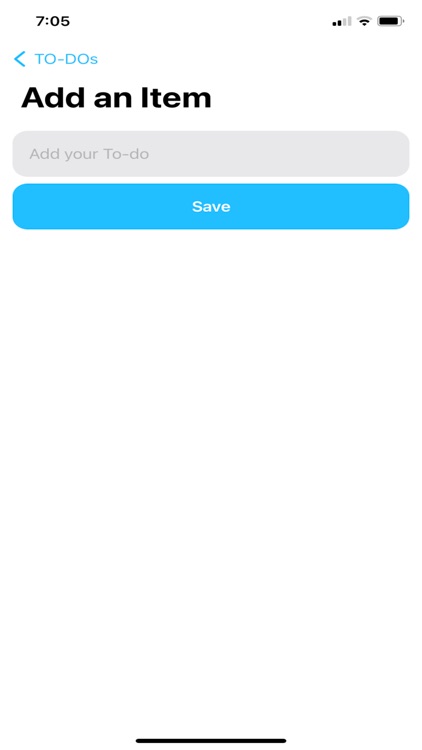
- Touch the Add button to add your daily tasks.
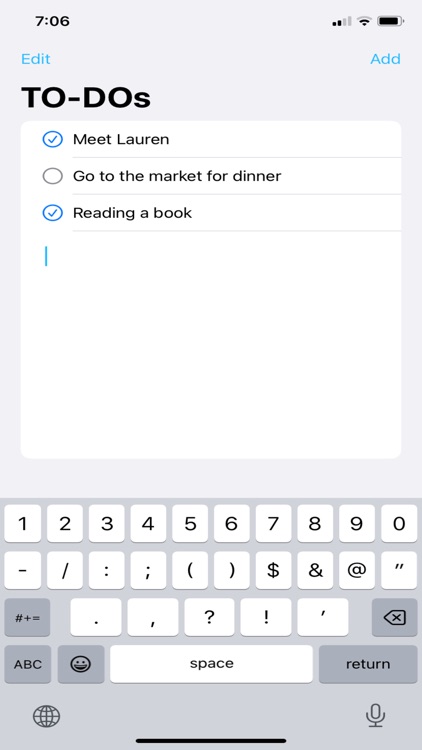
- If you add some tasks, then it appears in main home with text field. On the text field, you can use whatever you want. etc) Daily diary, Task feedback, or Self-reflection.
- If you did your tasks, then touch the items. The check button will activate immediately.
- Swipe if you want to delete the items.
Disclaimer:
AppAdvice does not own this application and only provides images and links contained in the iTunes Search API, to help our users find the best apps to download. If you are the developer of this app and would like your information removed, please send a request to takedown@appadvice.com and your information will be removed.
AppAdvice does not own this application and only provides images and links contained in the iTunes Search API, to help our users find the best apps to download. If you are the developer of this app and would like your information removed, please send a request to takedown@appadvice.com and your information will be removed.
