You are using an outdated browser. Please
upgrade your browser to improve your experience.

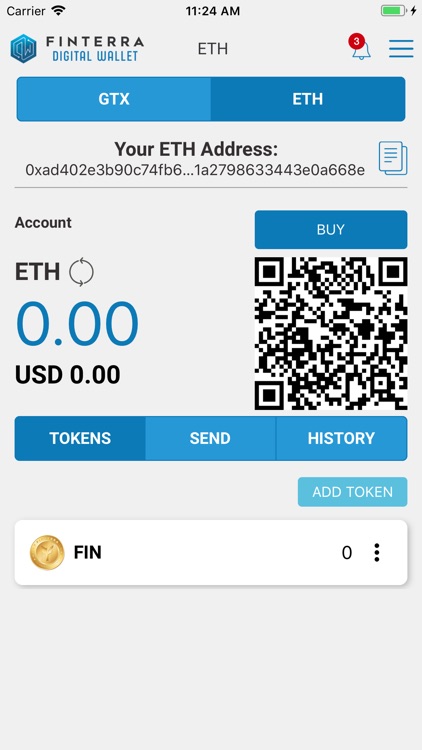
With the Finterra Digital Wallet, you can send and receive ETH, BTC, BCH, GTX, and FIN via your laptop or mobile phone

Finterra Wallet
by Finterra Pte. Ltd.


What is it about?
With the Finterra Digital Wallet, you can send and receive ETH, BTC, BCH, GTX, and FIN via your laptop or mobile phone.
App Screenshots

App Store Description
With the Finterra Digital Wallet, you can send and receive ETH, BTC, BCH, GTX, and FIN via your laptop or mobile phone.
Some key features of the Finterra Digital Wallet:
• 100% control over your private keys, they never leave your device unless you export them
• Manage your wallet on multiple devices without giving up control
• Set default fee handling to ensure timely execution of your transactions by the network, or customize and set you own prices on a per transaction basis
• No blockchain download, install and run in seconds
• HD (Hierarchical Deterministic)-enabled - manage multiple accounts and never reuse addresses (BIP32, BIP44)
• Master seed based - make one backup and be safe for ever. (BIP39)
• Ultra-fast connection to various networks through our maintained and secure nodes.
• Single sign-on use your Finterra email and password to access your Finterra Digital Wallet
• Support for smart contract interaction for the Ethereum and GALLACTIC networks
• Seamless user experience for the FINTERRA ecosystem
Here are some useful tips for you.
Useful Tip # 1 :
Do not disclose your Wallet Seed to anyone, and never type it on a website. After you have copied your Wallet Seed onto a digital document on your computer, please write down the 12 words (order is important) and store it in a safe place.
Useful Tip # 2:
When using the SEND function to send tokens, you will need:
1. the recipient (wallet) address
2. sufficient tokens in your account to cover the Joules fee (ie. You cannot send the exact number of tokens as your balance)
3. to make sure you send to the specific token address (e.g. if sending ETH, the recipient’s address must be an Ethereum wallet address.
Useful Tip # 3
You can BUY tokens at other Exchanges from your Digital Wallet. Click the BUY bar and you will be directed to a page where you can proceed to the Exchange. This functionality will be available after Sept 15th, 2018. Please click the Notifications button (top right-hand corner of your Wallet).
Useful Tip 4
You can sync your Finterra Digital Wallet’s chrome version across different devices. Step # 1 – Install & create your digital wallet on device # 1. Step # 2 – Log out of device # 1. Step # 3 – Install chrome extension on device # 2. Step # 4 – Login to your Digital Wallet on device # 2.
Useful Tip 5
Warning ! Please write down the 12-word Wallet Seed (order is important) and store it in a safe place. Should you decide to un-install the Finterra Digital Wallet chrome extension or mobile app you will need your Wallet Seed (12-word phrase) to restore your wallet on your device. Need help ? Pls send us an email at support@finterra.org
Disclaimer:
AppAdvice does not own this application and only provides images and links contained in the iTunes Search API, to help our users find the best apps to download. If you are the developer of this app and would like your information removed, please send a request to takedown@appadvice.com and your information will be removed.
AppAdvice does not own this application and only provides images and links contained in the iTunes Search API, to help our users find the best apps to download. If you are the developer of this app and would like your information removed, please send a request to takedown@appadvice.com and your information will be removed.
