You are using an outdated browser. Please
upgrade your browser to improve your experience.

Cyclists, listen up — there’s a new app for your smartphone that tracks and records your cycling power

Fitif Power
by Capitán nugget

What is it about?
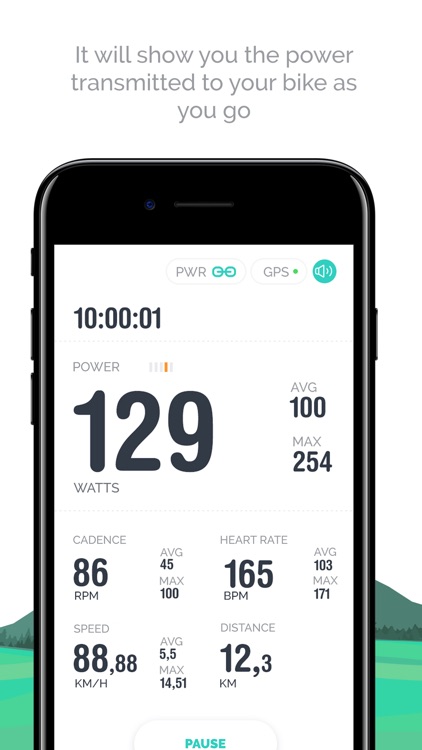
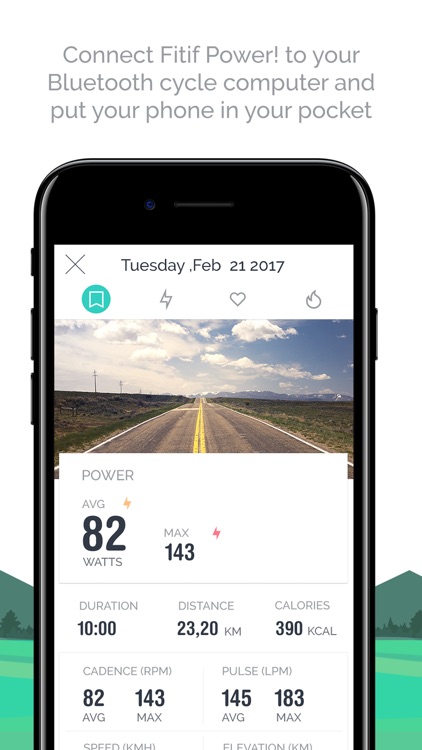
Cyclists, listen up — there’s a new app for your smartphone that tracks and records your cycling power. Meet Fitif Power!, a power meter app developed to help you estimate your bike’s effective power while you’re in motion. Fitif Power! is compatible with Garmin devices, more specifically bike computers and cycling/multisport watches. Moreover, Fitif Power! is compatible with Strava and Training Peaks so you can upload your activities to these platforms.
App Screenshots

App Store Description
Cyclists, listen up — there’s a new app for your smartphone that tracks and records your cycling power. Meet Fitif Power!, a power meter app developed to help you estimate your bike’s effective power while you’re in motion. Fitif Power! is compatible with Garmin devices, more specifically bike computers and cycling/multisport watches. Moreover, Fitif Power! is compatible with Strava and Training Peaks so you can upload your activities to these platforms.
As reliable and accurate as those for the crank or pedals, which generally cost more the 300 dollars and with a more than proven data consistency, Fitif Power! power meter is one of the cheapest ways to monitor your power while cycling.
1-. How does Fitif Power! work?
To use the Fitif Power! the GPS is absolutely necessary, so activate it, as it essentially works with geolocation. On the other hand, it works with a barometer/altimeter that was incorporated from version 6 and up of the device, so it is recommended for this device and subsequent versions. All of this shows that what it is and that it should only be used outdoors.
2-. What do I need for Fitif Power! to work properly?
It is therefore recommended to use and connect a Bluetooth cadence sensor, as the data will be more accurate. You should also use a Bluetooth heart rate monitor, as knowing your heart rate is important when estimating power if you are cycling in a group and alone, to give a couple of examples, so it is important to take a heart rate monitor.
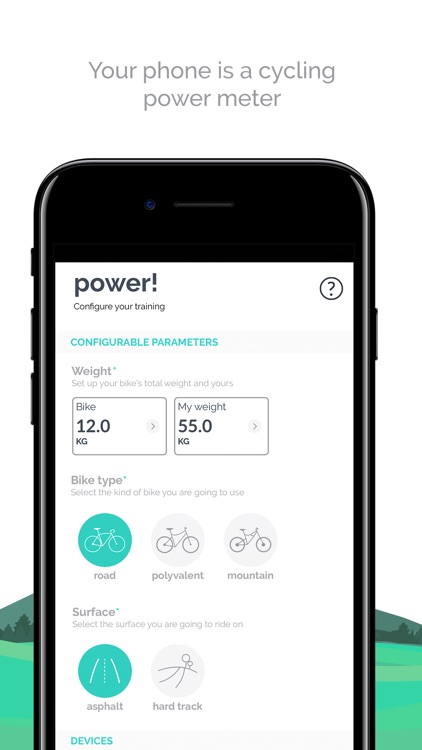
Once you have downloaded Fitif Power! you will have to configure three settings:
- Weights, yours, fully equipped, and the bike’s, with everything you are going to put on it.
- The type of bike.
- The surface on which you are going to cycle.
3-. Is my power not shown instantly? Why does Fitif Power! calculate an average every 15 seconds? Considering all of the variables mentioned above Captain Nugget have developed their own algorithm to estimate the average power every 15 seconds. Instant power can give aberrant results, which is why an average is usually calculated for a certain period of time. In this case, those aberrant values can be due to faulty readings by the Smartphone sensors.
The latest version of Fitif Power! calculates the average every 15 seconds so as to minimize aberration. We are currently working on an update that will provide averages that calculate and show power results for shorter periods.
- Download Fitif Power! App from the Connect IQ Store here:
https://apps.garmin.com/en-US/apps/d22b62c0-ece9-4f32-873a-a367c2e74056
- To use the Fitif Power! IQ app (compatible with Garmin devices) download it from the Connect IQ Store and install it on your bike computer and/or watch. Then install Garmin Connect Mobile app on your phone and sync it straight to your device. Once the Fitif Power! IQ app is installed on your device, run Fitif Power! mobile app, then select “Garmin Connect IQ”, select the Garmin device to be connected and continue the setup process. Make sure the Garmin Connect Mobile app is running on your phone everytime you are using Fitif Power! mobile app.
- Calculating your cycling power has never been cheaper thanks to the Fitif Power! app. Visit us at:
https://fitif.zone/
- FAQs:
https://fitif.zone/frequently-asked-questions/?lang=en
- Terms and Conditions & Privacy Policy: https://www.capitannugget.com/end-user-license-agreement/?lang=en
- Want to tell us something?: info@capitannugget.com
Disclaimer:
AppAdvice does not own this application and only provides images and links contained in the iTunes Search API, to help our users find the best apps to download. If you are the developer of this app and would like your information removed, please send a request to takedown@appadvice.com and your information will be removed.
AppAdvice does not own this application and only provides images and links contained in the iTunes Search API, to help our users find the best apps to download. If you are the developer of this app and would like your information removed, please send a request to takedown@appadvice.com and your information will be removed.
