You are using an outdated browser. Please
upgrade your browser to improve your experience.
FUZZ-Productivity is the smart Productivity app that’s made for anybody

Fuzz-Productivity
by FUZZtec Europe
What is it about?
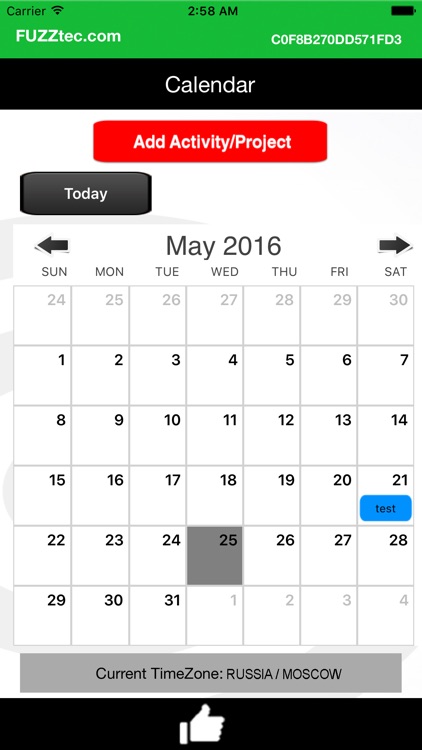
FUZZ-Productivity is the smart Productivity app that’s made for anybody. It’s the one-size-fits-all, from engineers to lawyers and everybody in-between! Pick any day from the Calendar and insert your Activity or Project: set the ‘from’-‘to’ Time you’re all set to go. It’s the app that does the job and most of all its clutter-free: You’re free to add activities and/or projects anytime, do so before, during or anytime afterwards. Use of the online Management dashboard is included at no charge so review the Type equation here.activities/projects there; you can upgrade to use the extra online functionalities.
App Screenshots

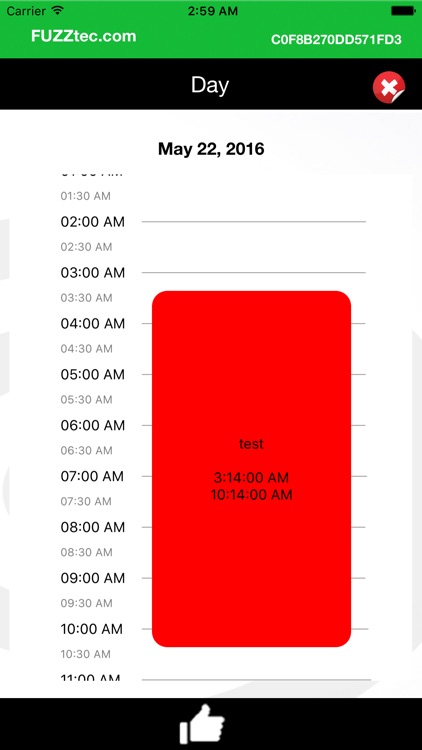
App Store Description
FUZZ-Productivity is the smart Productivity app that’s made for anybody. It’s the one-size-fits-all, from engineers to lawyers and everybody in-between! Pick any day from the Calendar and insert your Activity or Project: set the ‘from’-‘to’ Time you’re all set to go. It’s the app that does the job and most of all its clutter-free: You’re free to add activities and/or projects anytime, do so before, during or anytime afterwards. Use of the online Management dashboard is included at no charge so review the Type equation here.activities/projects there; you can upgrade to use the extra online functionalities.
NOTE: FUZZ-Productivity comes with a complimentary online Management user account.
Features for App Users
· Add activities and/or projects to the Calendar
· View current or activities and/or projects
· Scroll vertical through your day-schedule, horizontally to scroll the days; forwards and backwards
· Set Time From and Time to the activity/project and a color defines every activity/project
· Adding Details/Reference information is optional
· The calendar view displays activities/projects that were added on specific days
Disclaimer:
AppAdvice does not own this application and only provides images and links contained in the iTunes Search API, to help our users find the best apps to download. If you are the developer of this app and would like your information removed, please send a request to takedown@appadvice.com and your information will be removed.
AppAdvice does not own this application and only provides images and links contained in the iTunes Search API, to help our users find the best apps to download. If you are the developer of this app and would like your information removed, please send a request to takedown@appadvice.com and your information will be removed.
