You are using an outdated browser. Please
upgrade your browser to improve your experience.

* EPUB reading system app that uses EPUB eBooks downloaded from the internet

Gglreader
by Contents Color CO.,LTD.


What is it about?
* EPUB reading system app that uses EPUB eBooks downloaded from the internet.
App Screenshots


App Store Description
* EPUB reading system app that uses EPUB eBooks downloaded from the internet.
* HELP GUIDE BEFORE USE
- When you install this Openepub Reader for the first time.
- There are no pre-imported EPUB eBooks in bookshelf of Openepub Reader as the initial default setting.
- Import EPUB eBooks into the bookshelf of Openepub Reader from the post of website links of "Download free EPUB eBooks" on the main view. It is helpful to refer to "Openepub Guide for iPhone users" which is posted on the Openepub Reader's main view.
* MAIN FEATURES
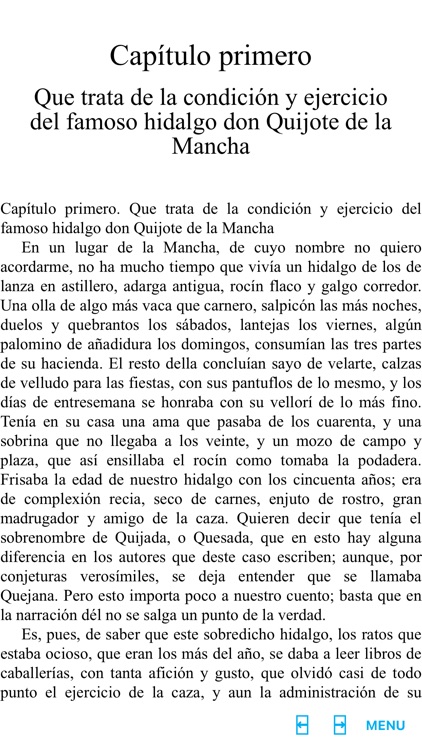
- The writing direction of scripts like Korean, English, Japanese, Arabic, etc is used as natural writing direction.
(Reading from-left-to-right, reading from-right-to-left, reading from top to bottom and from right to left; ltr, rtl, vertical-rl)
- Fixed-layout or prepaginated style content is rendered using one page-plate.
- HTML5 audio and video playback are rendered.
- Media overlay supports only synchronizing audio media.
(Option of choosing text element style can be set if media overlay does not have an author-defined style synchronizing audio-text visual highlighting.)
- Using iTunes File Sharing, copy EPUB files to the "openepub" app using the USB cable.
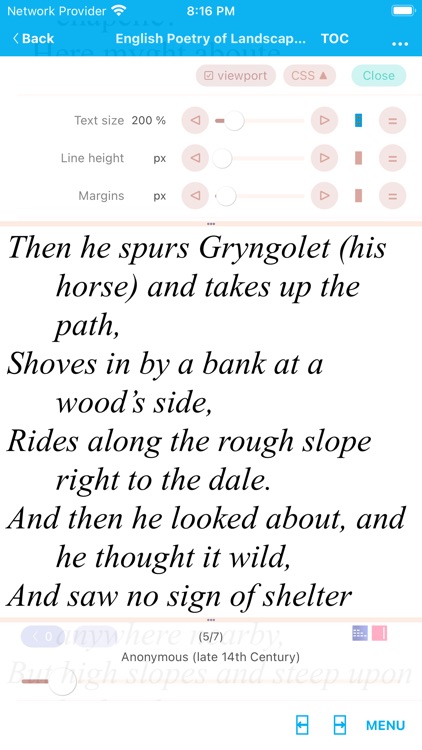
- Customizing text size, line height and margins of content on viewer view are supported.
- Bookmarks, table of contents, memo note are supported.
- The latest page is auto located when you open epub ebook to read again.
- Reading box (a shortcut bookshelf) can open an EPUB ebook quickly.
Disclaimer:
AppAdvice does not own this application and only provides images and links contained in the iTunes Search API, to help our users find the best apps to download. If you are the developer of this app and would like your information removed, please send a request to takedown@appadvice.com and your information will be removed.
AppAdvice does not own this application and only provides images and links contained in the iTunes Search API, to help our users find the best apps to download. If you are the developer of this app and would like your information removed, please send a request to takedown@appadvice.com and your information will be removed.
