You are using an outdated browser. Please
upgrade your browser to improve your experience.

"Gizilogger" is the ideal app for recording and playing back conferences or meetings

Gizilogger - Voice Recorder
by Yoshihiro Shimoyama



Gizilogger Offers Apple Watch App
Check the details on WatchAware
Check the details on WatchAware
What is it about?
"Gizilogger" is the ideal app for recording and playing back conferences or meetings.
Gizilogger is FREE but there are more add-ons
-
$2.99
Feature restriction removal
App Screenshots

App Store Description
"Gizilogger" is the ideal app for recording and playing back conferences or meetings.
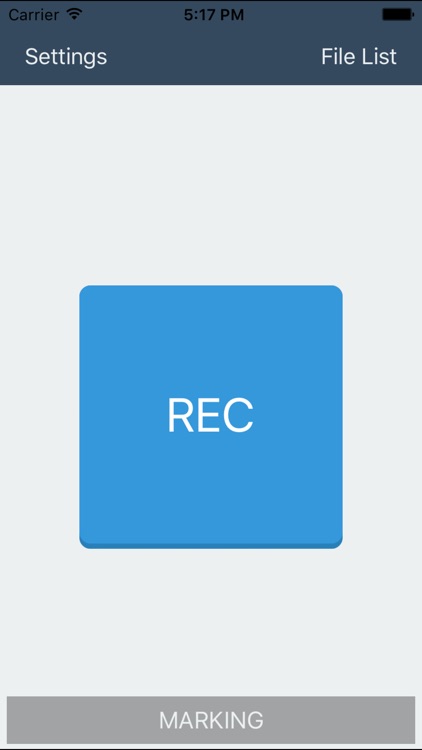
-Recording
Any position on the recording screen can be marked.
The recording volume level can be increased. (Mic Boost:OFF/+10dB/+15dB/+20dB)
Background recording.
(*)It is necessary to have you set to start recording before recording volume level.
-File List
Files can be sorted by Recording Date or Title or Location or Color label.
-File Details
You can record Title and Location and Attendee and Memo in the file.
-Playback
Playback speed can be changed. (0.5x, Normal, 1.5x, 2.0x)
Any position on the playback screen can be marked.
Playback can be cued by tapping a Marking Label on the playback screen.
Tab the [Back 15s] button, you can rewind for 15 seconds.
Press and hold the [FF] button, you can fast-forward.
-Settings
Audio File Format:AAC/Apple Lossless/WAV
Sampling Rate:8kHz/22.05kHz/44.1kHz
Mic Boost:OFF/+10dB/+15dB/+20dB
-About feature restriction-
When the app is first installed, a feature restriction limits recording to a maximum of one file. To remove this restriction, tap [Settings] > [Add-on] > [Feature restriction removal], and purchase the add-on.
Disclaimer:
AppAdvice does not own this application and only provides images and links contained in the iTunes Search API, to help our users find the best apps to download. If you are the developer of this app and would like your information removed, please send a request to takedown@appadvice.com and your information will be removed.
AppAdvice does not own this application and only provides images and links contained in the iTunes Search API, to help our users find the best apps to download. If you are the developer of this app and would like your information removed, please send a request to takedown@appadvice.com and your information will be removed.
