You are using an outdated browser. Please
upgrade your browser to improve your experience.
HIdden camera with special calculator have 2 Hidden/SPY CAMERA mode,first one is working internet browser but you could record video or taking picture, Other one is just blank screen when you touch on the screen you could take a picture

HD Hidden Camera with Special Calculator
by Harmony Software UK


What is it about?
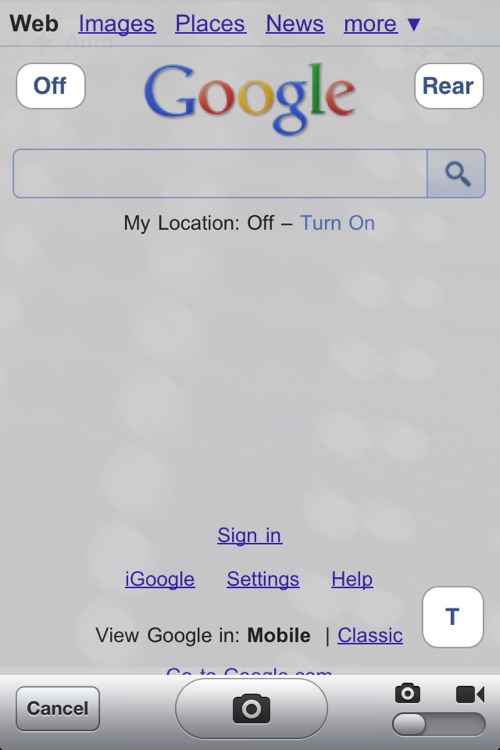
HIdden camera with special calculator have 2 Hidden/SPY CAMERA mode,first one is working internet browser but you could record video or taking picture, Other one is just blank screen when you touch on the screen you could take a picture.( without showing what you are doing to the other people !)
App Screenshots


App Store Description
HIdden camera with special calculator have 2 Hidden/SPY CAMERA mode,first one is working internet browser but you could record video or taking picture, Other one is just blank screen when you touch on the screen you could take a picture.( without showing what you are doing to the other people !)
You can store your private informations,photos and video records under special calculator with protected by pin number.
If you do not know pin number you will not be able to enter private information mode.
When you click home button then software automatically change it's mode to plain calculator mode.
So , Do not need to worry about your private information !
Before starting application you need to do following steps :
1. Click / (divide) button,
2. Enter your 4 digits pin number,
3. Click M+ button,
4. Click Mc (Memory clear) button,
5. You will see private notes & images/videos file names on the screen and now you can view/manage them. If you need to delete any file just swipe your finger on the filename than you will see Delete button on the right side of the filename. You could send private image attached with e-mail to someone.
Click 'HC' button on the special calculator to enter secret video/image recording mode.
Click 'HP' button on the special calculator to enter blank screen mode to take a picture by touching on the screen.
Click 'PL' button on the special calculator to copy an image from iPhone photo library into special calculator documents.
Please be aware, this function for just personal use for easy video/image recording while you are surfing on the internet , end user will be responsible for any inappropriate usage of this application which may violate public privacy law.
Please, remember if you uninstall this program you are going to loose all of your private notes and hidden images/videos.
Disclaimer:
AppAdvice does not own this application and only provides images and links contained in the iTunes Search API, to help our users find the best apps to download. If you are the developer of this app and would like your information removed, please send a request to takedown@appadvice.com and your information will be removed.
AppAdvice does not own this application and only provides images and links contained in the iTunes Search API, to help our users find the best apps to download. If you are the developer of this app and would like your information removed, please send a request to takedown@appadvice.com and your information will be removed.
