You are using an outdated browser. Please
upgrade your browser to improve your experience.

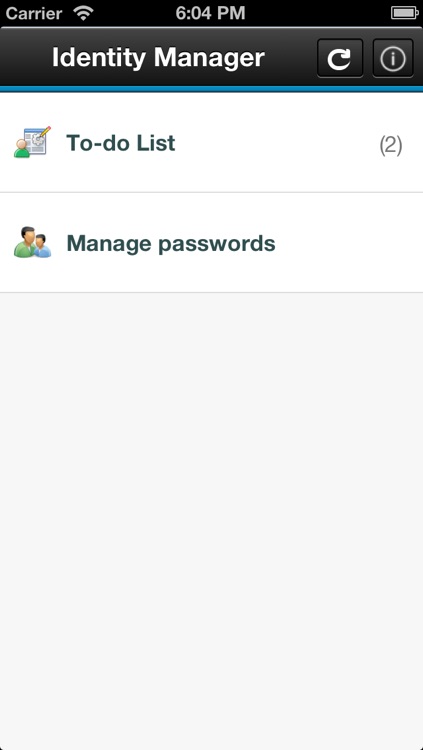
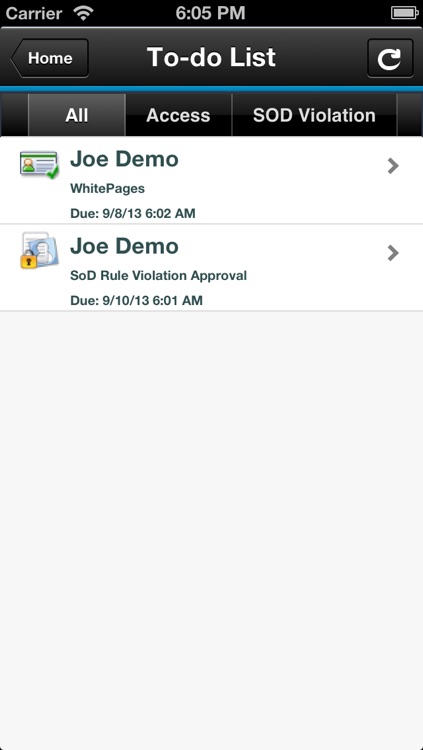
IBM Security Identity Manager Mobile (ISIMm) provides a mobile-specific user interface with all the capabilities of the ISIM account approval function to allow the review and approval of account requests via a convenient mobile platform

IBM Security Identity Manager Mobile
by IBM Security Services

What is it about?
IBM Security Identity Manager Mobile (ISIMm) provides a mobile-specific user interface with all the capabilities of the ISIM account approval function to allow the review and approval of account requests via a convenient mobile platform.
App Screenshots


App Store Description
IBM Security Identity Manager Mobile (ISIMm) provides a mobile-specific user interface with all the capabilities of the ISIM account approval function to allow the review and approval of account requests via a convenient mobile platform.
Getting Started:
1. Access the ISIM Mobile Settings panel in the iOS Settings App.
2. Enter the URL provided by your System Administrator into the Server Address field.
3. Enter your IBM Security Identity Manager username into the Username field.
4. If you have previously used the App before, you should turn on the Reset Password switch to clear your saved credentials.
5. Launch the IBM Security Identity Manager Mobile App.
6. Enter your IBM Security Identity Manager password when prompted to do so.
Known issues with this release:
1. If you enter a new credential in the Settings, your old credentials will still be stored in the Keychain. If you revert to the previous username, there will be no password prompt and you will be automatically logged in to the App.
2. Session is cached after logging into the App. If you change your credentials in Settings after launching the App, the new credentials will not take effect until the App is relaunched again.
3. Self-signed IBM Security Identity Manager Server SSL certificates - Prior to using the App, you must install the self-signed SSL certificate on each iOS device.
Note to System Administrators: For information on deploying SSL certificates to your users, refer to Apple's iPhone in Business Integration Resources.
Disclaimer:
AppAdvice does not own this application and only provides images and links contained in the iTunes Search API, to help our users find the best apps to download. If you are the developer of this app and would like your information removed, please send a request to takedown@appadvice.com and your information will be removed.
AppAdvice does not own this application and only provides images and links contained in the iTunes Search API, to help our users find the best apps to download. If you are the developer of this app and would like your information removed, please send a request to takedown@appadvice.com and your information will be removed.
