You are using an outdated browser. Please
upgrade your browser to improve your experience.
iScan Air is specially designed to work with the Wireless Scanner for your iPad, iPhone and iPod touch exclusively

iScan Air
by Mustek Systems Inc.


What is it about?
iScan Air is specially designed to work with the Wireless Scanner for your iPad, iPhone and iPod touch exclusively. iScan Air enables the Wireless Scanner to connect to the Wireless Scanner over Wi-Fi services from your iOS device anywhere a signal is present. You can scan hard copies at up to US Legal size (8 1/2" x 14") directly to your iOS device to view and store your images, and share them via email or social network sites. Simple and graphical interface makes it easy for all ages and skill levels to complete scanning tasks within just a few seconds.
App Screenshots

App Store Description
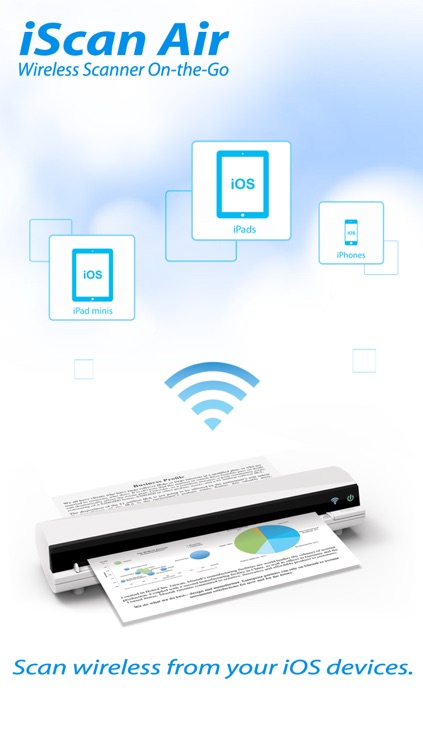
iScan Air is specially designed to work with the Wireless Scanner for your iPad, iPhone and iPod touch exclusively. iScan Air enables the Wireless Scanner to connect to the Wireless Scanner over Wi-Fi services from your iOS device anywhere a signal is present. You can scan hard copies at up to US Legal size (8 1/2" x 14") directly to your iOS device to view and store your images, and share them via email or social network sites. Simple and graphical interface makes it easy for all ages and skill levels to complete scanning tasks within just a few seconds.
Enjoy the freedom of wireless scanning with iScan Air wherever you are.
iScan Air Feature:
◆ Scan to your iOS (iPhone, iPod touch, iPad) devices on your wireless network.
◆ Create full color JPEG files up to standard paper size (A4/Legal).
◆ Instant real-time preview while scanning.
◆ Simple and graphical interface made easy for all ages and levels.
Note : It's strongly recommended to disable the Bluetooth function on your mobile device (with iOS 7.0 or up) before connecting the scanner, as Bluetooth transmissions can interfere with the Wi-Fi signals.
Disclaimer:
AppAdvice does not own this application and only provides images and links contained in the iTunes Search API, to help our users find the best apps to download. If you are the developer of this app and would like your information removed, please send a request to takedown@appadvice.com and your information will be removed.
AppAdvice does not own this application and only provides images and links contained in the iTunes Search API, to help our users find the best apps to download. If you are the developer of this app and would like your information removed, please send a request to takedown@appadvice.com and your information will be removed.
