You are using an outdated browser. Please
upgrade your browser to improve your experience.
klok shows you what you would say if someone were to ask you the time

klok - time, elegantly
by Cameron Roth


What is it about?
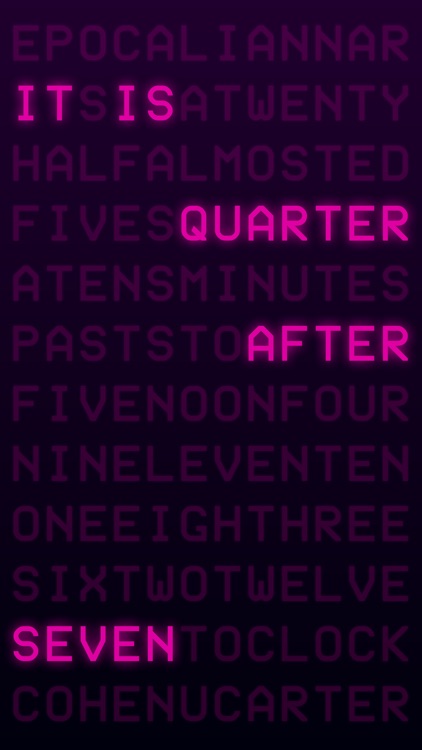
klok shows you what you would say if someone were to ask you the time. It updates multiple times a minute, but only shows you some fuzzy numbers.
App Screenshots


App Store Description
klok shows you what you would say if someone were to ask you the time. It updates multiple times a minute, but only shows you some fuzzy numbers.
Introducing klok, the elegant way to naturally read time. klok is a stylish alternative to the traditional analog or digital apps found on the App Store and provides a great accessory to any surface - featuring fully-customizable color schemes to let you match your surroundings or mood. Tap the screen to see the lights flicker on, or try dragging your finger around the screen for a more calming experience.
klok is entirely text-based, meaning it will look beautiful on any iOS device (and even better on retina screens!), and works in 6 different languages: Dutch, English, French, German, Italian, and Spanish.
FEATURES
• Supports all iOS devices, including iPad, iPad mini, iPad Pro, iPod touch, iPhone 5, 5c, 5s, 6, 6s, 6 Plus and 6s Plus models
• Gorgeous retina-support
• Works on all orientations
• Customizable color palette
• Supports six languages – Dutch, English, French, German, Italian, and Spanish
HOW-TO
• To leave or access the menu, double-tap the screen.
• To save your color selections (and return to the menu), double-tap the screen.
• You can also drag your finger around the screen to leave a glowing trail of letters.
• Tapping the screen does a flickering of the letters, reminiscent of fluorescent lights turning on.
FEEDBACK
If you have concerns or suggestions, let me know at camroth@gmail.com. We’re always looking for ways we can deliver a better experience, and the best way to do that is with your help!
Disclaimer:
AppAdvice does not own this application and only provides images and links contained in the iTunes Search API, to help our users find the best apps to download. If you are the developer of this app and would like your information removed, please send a request to takedown@appadvice.com and your information will be removed.
AppAdvice does not own this application and only provides images and links contained in the iTunes Search API, to help our users find the best apps to download. If you are the developer of this app and would like your information removed, please send a request to takedown@appadvice.com and your information will be removed.
