You are using an outdated browser. Please
upgrade your browser to improve your experience.
Mad 123 is an app for young children who are beginning to distinguish numbers from 1 to 9 and are ready to count and add on their fingers

Mad 123
by Madadam Games
What is it about?
Mad 123 is an app for young children who are beginning to distinguish numbers from 1 to 9 and are ready to count and add on their fingers.
App Screenshots
App Store Description
Mad 123 is an app for young children who are beginning to distinguish numbers from 1 to 9 and are ready to count and add on their fingers.
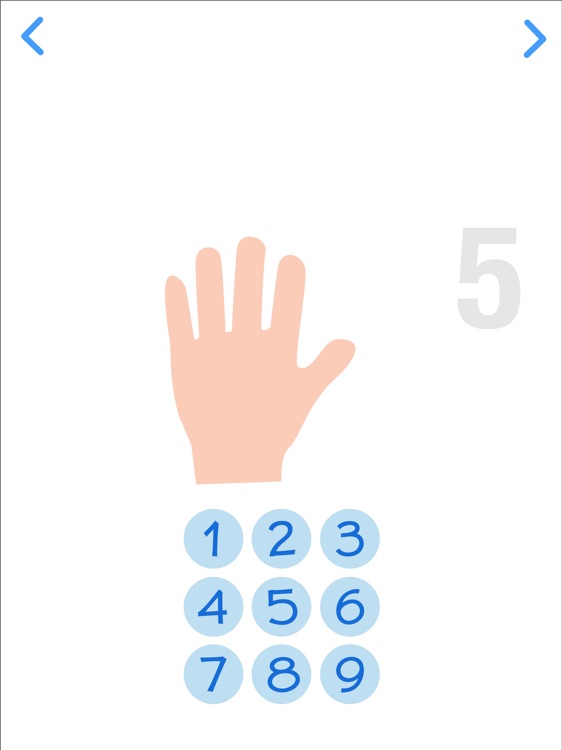
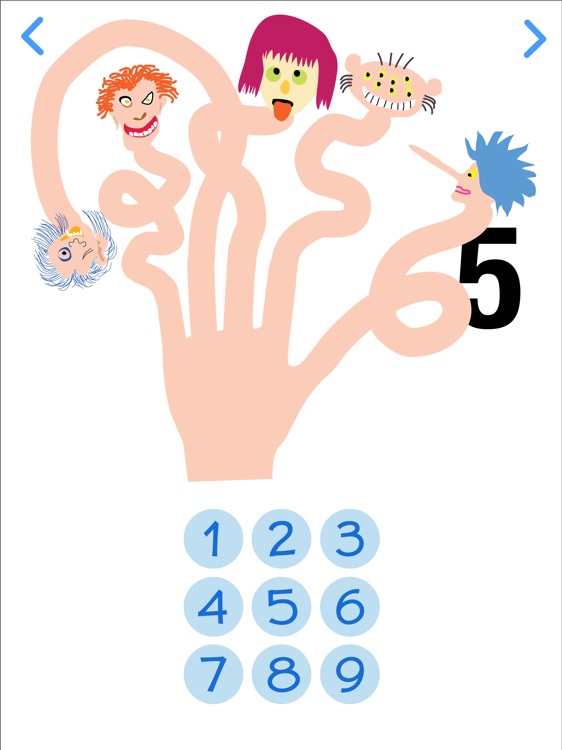
Each of the nine digits has its own illustrated and animated page. Screenshots #2 and #3 show what happens on the page of number five, for example. The number 5 appears in gray. When you tap the blue button with the correct number, the gray 5 turns black and you are rewarded with an animation: the fingers lengthen and grow strange tips.
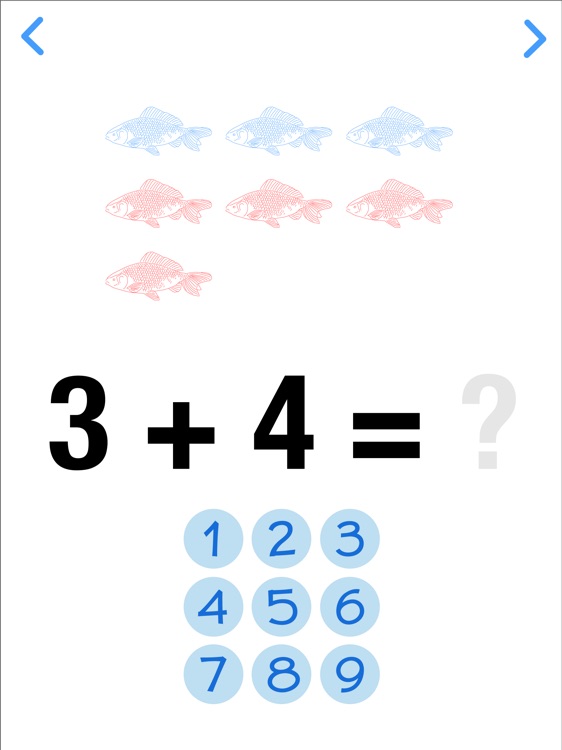
Screenshot #4 shows the first addition page. Two numbers chosen at random are to be added. Here, 3 and 4. When you open the page, the number 1 appears before the + sign at the same time as one blue fish. Then a second blue fish appears as the number 2 replaces 1. Then a third blue fish appears and the number 3 replaces 2. Similarly, four red fishes appear one by one as the numbers 1, 2, 3 and 4 replace each other after the + sign. When you tap the correct blue button, you are rewarded by a fish dance, then a new addition is displayed.
The next page (not shown here) introduces an addition without any picture, so you have to use your fingers to replace the fish.
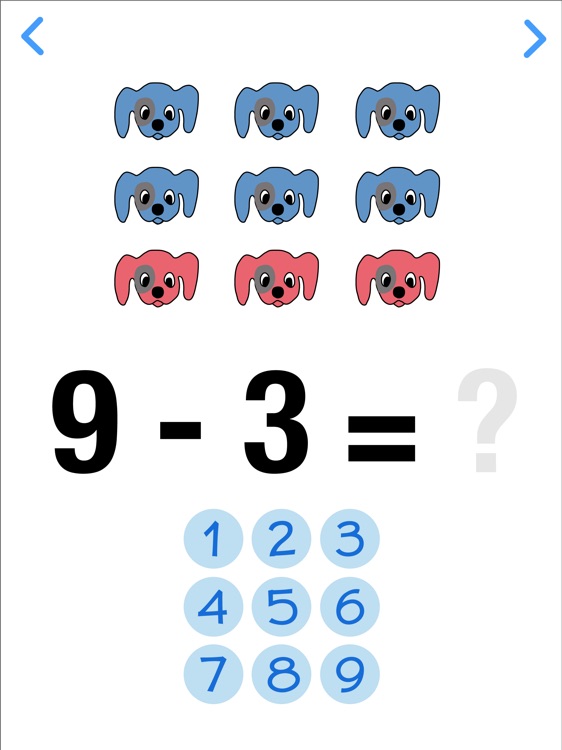
Screenshot 5 shows the first subtraction page. A number of blue dogs, here 9, appear one by one as the numbers 1, 2…9 replace each other before the – sign. Then, as the numbers 1…3 replace each other after the – sign, the last three blue dogs turn red. When you tap the correct blue button, you are rewarded by a dog dance, then a new subtraction is displayed. Clever children soon discover that all you have to do is count the remaining blue dogs, so they are ready to tackle the pictureless subtraction page.
There is a simple multiplication page, but no division page.
Disclaimer:
AppAdvice does not own this application and only provides images and links contained in the iTunes Search API, to help our users find the best apps to download. If you are the developer of this app and would like your information removed, please send a request to takedown@appadvice.com and your information will be removed.
AppAdvice does not own this application and only provides images and links contained in the iTunes Search API, to help our users find the best apps to download. If you are the developer of this app and would like your information removed, please send a request to takedown@appadvice.com and your information will be removed.
