You are using an outdated browser. Please
upgrade your browser to improve your experience.

MC Connect allows you to connect to a Minecraft server and chat with your friends while using very little cellular data

MC Connect for Minecraft
by Blake Tillman

What is it about?
MC Connect allows you to connect to a Minecraft server and chat with your friends while using very little cellular data! You can chat and send commands just like you can on the official Minecraft client.
App Screenshots


App Store Description
MC Connect allows you to connect to a Minecraft server and chat with your friends while using very little cellular data! You can chat and send commands just like you can on the official Minecraft client.
How it works: Whenever you connect to a Minecraft server, MC Connect connects to a proxy server, which is in charge of establishing and maintaining a connection to the Minecraft Server. Whenever the proxy server receives a chat message, it sends it to the app. Because the app doesn't connect directly to the Minecraft Server, it uses a very minimal amount of data. Your username and password never leaves the app because the Minecraft login happens on the device itself.
Features:
* Full color chat that supports Bold, Italic, and Underline chat
* Connect to any Minecraft Server and use chat features (supports Minecraft versions 1.5.2 - 1.8.1)
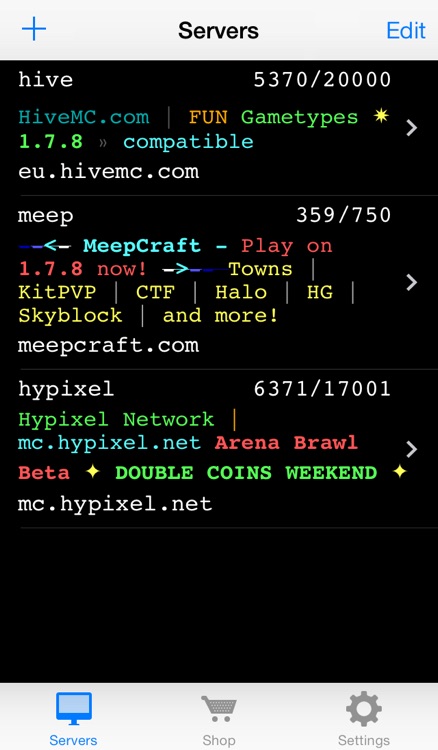
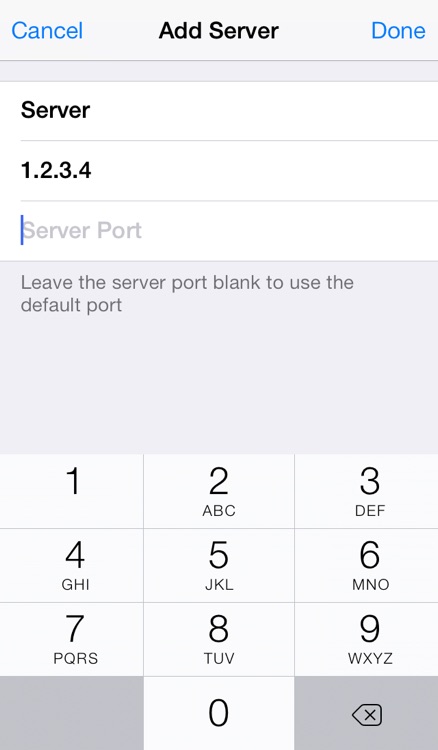
* Add servers to a server list that supports colored message of the day (motd), a player count, and a title
* Player list allows you to view a list of players connected to the server
* Configure commands to perform on specific players with the option to send automatically
* Chat history allow you to view, edit, and send previous chat messages
* If Minecraft updates, you'll be able to connect to updated servers without updating the app
* Frequent command list to send messages or commands with the tap of a button
* Works great on a bad data connection
* Chat font looks similar to the font in Minecraft
When connected to a server, swipe left to see a list of players connected to the server. You can tap a players name to see a list of commands that you can execute. You can configure these commands, which can automatically fill in a player's username, in settings.
Disclaimer:
AppAdvice does not own this application and only provides images and links contained in the iTunes Search API, to help our users find the best apps to download. If you are the developer of this app and would like your information removed, please send a request to takedown@appadvice.com and your information will be removed.
AppAdvice does not own this application and only provides images and links contained in the iTunes Search API, to help our users find the best apps to download. If you are the developer of this app and would like your information removed, please send a request to takedown@appadvice.com and your information will be removed.
