You are using an outdated browser. Please
upgrade your browser to improve your experience.

MERL Mobile combined with MERL desktop software, provides engineers and inspectors a powerful set of tools to enable job management on the go

MERL Mobile
by Michigan Technological University
What is it about?
MERL Mobile combined with MERL desktop software, provides engineers and inspectors a powerful set of tools to enable job management on the go.
App Store Description
MERL Mobile combined with MERL desktop software, provides engineers and inspectors a powerful set of tools to enable job management on the go.
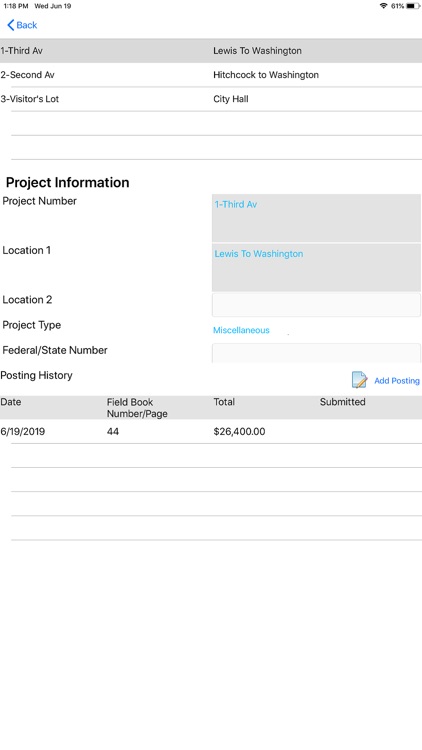
Engineers and inspectors can review past postings, enter new daily postings, and submit their postings for download to the database – all from the job site, or anywhere in-between.
Key Features
• Access uploaded contracts from cloud storage.
• Review project posting history.
• Enter daily project posting.
• Recognizes and responds to iOS voice to text features.
• Submit completed work to cloud storage.
App Requirements
• Internet connection
• MERL Cloud Key (available from the Center for Technology & Training)
• MERL desktop software (5.3.0 or higher)
• Requires iOS 9.0 or later. This app is optimized for iPad.
Note: Use of MERL Mobile requires a licensed copy of MERL software (desktop). For more information about obtaining a licensed copy of MERL desktop, please go to our website http://merl.michiganltap.org/about.
Disclaimer:
AppAdvice does not own this application and only provides images and links contained in the iTunes Search API, to help our users find the best apps to download. If you are the developer of this app and would like your information removed, please send a request to takedown@appadvice.com and your information will be removed.
AppAdvice does not own this application and only provides images and links contained in the iTunes Search API, to help our users find the best apps to download. If you are the developer of this app and would like your information removed, please send a request to takedown@appadvice.com and your information will be removed.
