You are using an outdated browser. Please
upgrade your browser to improve your experience.

Drag-drop featured Music-player for Apple Music users

MusiMall
by Ender Pusane

What is it about?
Drag-drop featured Music-player for Apple Music users.
App Screenshots


App Store Description
Drag-drop featured Music-player for Apple Music users.
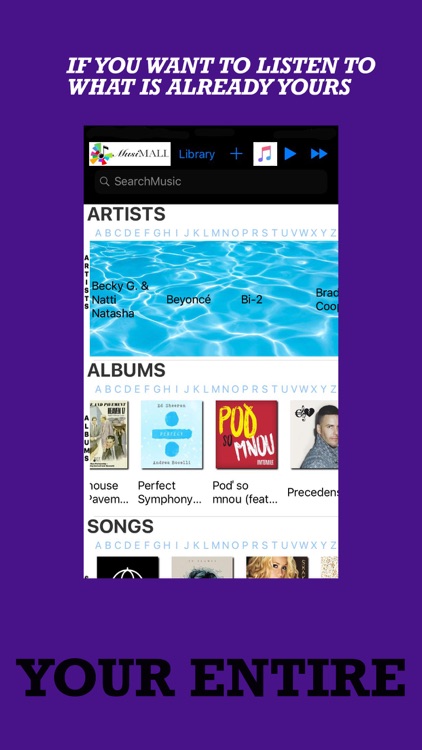
Lets you manage your entire music universe on just ONE page.
Manage your music library, search any music, even search top charts on country basis.
You're not allowed to get lost!
Tap on any artist name, You'll see the albums of the relevant artist instantly, right below the artist section. Tap on any album artwork and see the related songs right below the albums section. Tap on any song and start to listen to it instantly. The player will keep on playing the songs serially. And guess what, you are still in your very ONE music page.
When you want to take a look at your library, simply tap on the library button, at the top of the page.
You'll also find there, now playing song image, play and fast forward buttons. If you tap on the image, a popup will appear, showing you the basic music controls.
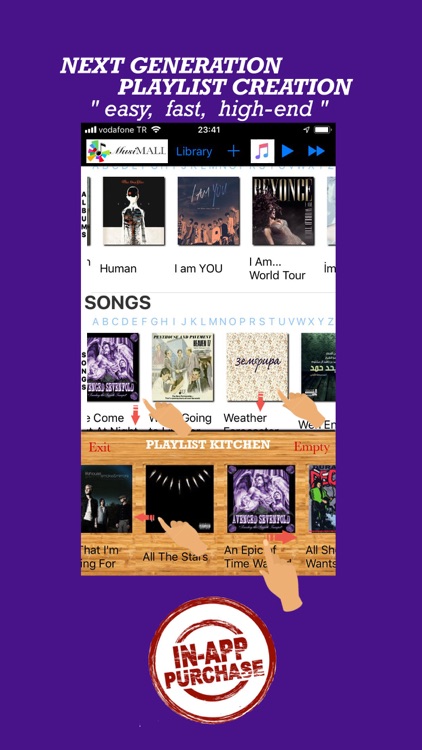
And an extensive add-to-library functionality. Just start to drag any music asset on the page and add-to-library box appears out of nowhere. Drop the asset in the box. When the task is completed, box simply disappears.
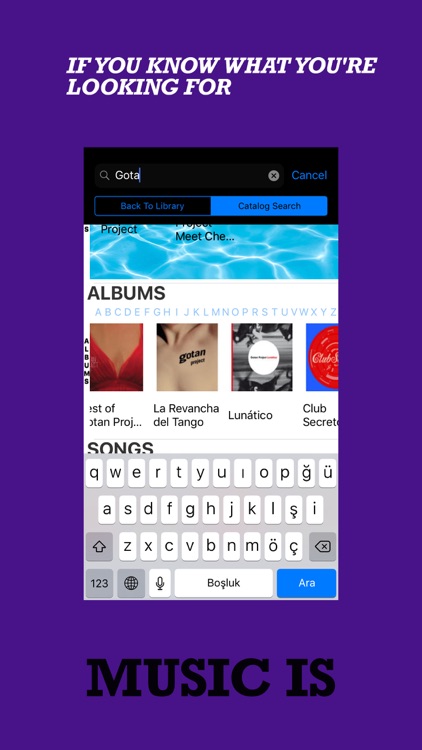
Searching music.
Swipe down the page, find the search bar, when you start texting, hints page will assist you, simply find your word and tap on it. Hints page will disappear and you'll find the results, again on your only ONE music page.
Top Charts. It's time to find good music in any country and in any genre. Just decide the country you'd like to conquer and begin to discover. You'll find the top charts section at the bottom of the page. Undermost two sections will update themselves after your choice takes place.
And finally, If you want to focus at the add-in purchases section, simply tap on the plus sign at the top of the page. High-end, music related unique inventions will meet you there.
Disclaimer:
AppAdvice does not own this application and only provides images and links contained in the iTunes Search API, to help our users find the best apps to download. If you are the developer of this app and would like your information removed, please send a request to takedown@appadvice.com and your information will be removed.
AppAdvice does not own this application and only provides images and links contained in the iTunes Search API, to help our users find the best apps to download. If you are the developer of this app and would like your information removed, please send a request to takedown@appadvice.com and your information will be removed.
