You are using an outdated browser. Please
upgrade your browser to improve your experience.

Host or join a conference call when you’re on the move with MyNetFone My Conference mobile app

MyNetFone Conference
by Conference Call International


What is it about?
Host or join a conference call when you’re on the move with MyNetFone My Conference mobile app.
App Screenshots

App Store Description
Host or join a conference call when you’re on the move with MyNetFone My Conference mobile app.
Designed for iOS devices, MyNetFone My Conference app lets you meet with your team or colleagues at any time, from anywhere in the world at a click of a button.
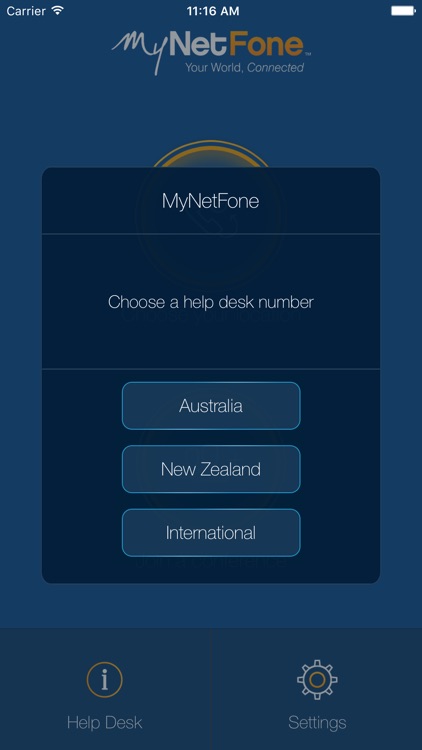
MyNetFone Conferencing customers enjoy 24/7 support – MyNetFone My Conference mobile app users are no different. Our 24/7 help desk is available at your fingertips via the app’s Help Desk, allowing you to feel confident that your mobile meetings will run without a hitch.
To host a meeting using MyNetFone My Conference app, you need to be a MyNetFone Premium Conferencing customer. If you are not a customer, contact MyNetFone directly on 1300 733 995.
Once a host and guests have their access codes, simply download the MyNetFone My Conference app and follow the prompts to start conferencing instantly.
Meeting guests can easily access MyNetFone My Conference app by downloading it from the app store.
Features:
Host and/or join a conference.
Access local and international dial-in numbers.
Store multiple access codes.
Easy click to call.
24/7 help desk support.
Disclaimer:
AppAdvice does not own this application and only provides images and links contained in the iTunes Search API, to help our users find the best apps to download. If you are the developer of this app and would like your information removed, please send a request to takedown@appadvice.com and your information will be removed.
AppAdvice does not own this application and only provides images and links contained in the iTunes Search API, to help our users find the best apps to download. If you are the developer of this app and would like your information removed, please send a request to takedown@appadvice.com and your information will be removed.
