You are using an outdated browser. Please
upgrade your browser to improve your experience.

Is it more troublesome to delete multiple voice test recordings

One on One teaching machine
by Han Chang Lin


What is it about?
Is it more troublesome to delete multiple voice test recordings?
App Screenshots

App Store Description
Is it more troublesome to delete multiple voice test recordings?
This application can solve this trouble.
1 on 1 teaching tape recorder.
Dual Logger helps with skill learning.
Function:
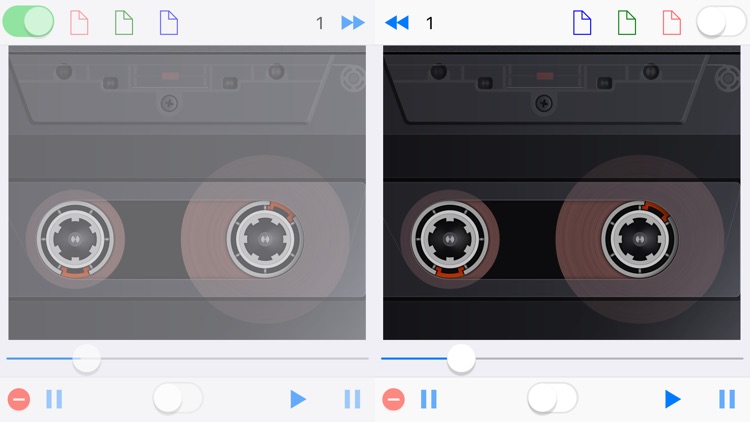
(1) For recording: standard and learning tone.
(2) Application examples: speech / singing / foreign language pronunciation / musical instrument performance / Children 's education.
Features:
(1) Left and right recorder: Save 3 voice.
(2) The recording length is unlimited.
(3) High compression technology. (1 hour: 8 MB)
(4) Auto repeat playback switch.
(5) Recording anti-write switch.
(6) To start recording automatically overwrite the old recording.
(7) Bottom control bar: Record / Stop recording / Repeat play / Play record / Stop playback.
Quick Start:
1. At the top Bar, click the button on the left or right side of the middle to select the recorder.
2. Specify one of the top three file buttons to prepare for recording.
3. At the bottom Bar, click the Record button below to start recording.
4. At the bottom Bar, click the Stop Recording button.
5. At the bottom Bar, click the Play button.
Watch Demo Video:
https://youtu.be/yqBUfzeAmN4
If you have any question or problems please contact
hanchanglin@gmail.com.
We are committed to fixing bugs as soon as possible.
----------------------
Website
https://goo.gl/t6Tn9X
Privacy Policy
https://goo.gl/RviIwn
----------------------
Disclaimer:
AppAdvice does not own this application and only provides images and links contained in the iTunes Search API, to help our users find the best apps to download. If you are the developer of this app and would like your information removed, please send a request to takedown@appadvice.com and your information will be removed.
AppAdvice does not own this application and only provides images and links contained in the iTunes Search API, to help our users find the best apps to download. If you are the developer of this app and would like your information removed, please send a request to takedown@appadvice.com and your information will be removed.
